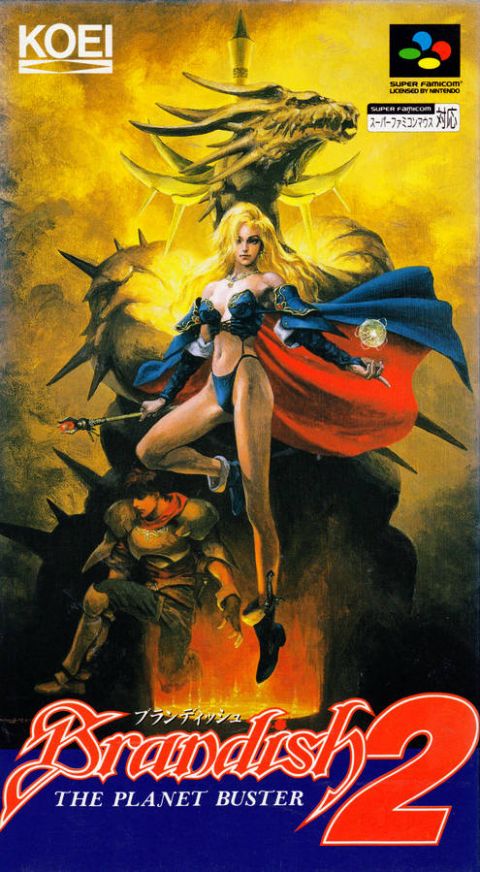
Brandish 2 fan-translation seems to be not compatible with most emulators

Solution
It crashes on my RetroArch near instantly, the moment I start it up after selecting any core: not sure what is the deal, might be settings issues or something?
It could be if other games instantly crash. If this is the only one, that's trickier.

You could try to
  • Close Retroarch
  • Back up your retroarch.cfg file to another location
  • Delete the original retroarch.cfg file
  • Reopen Retroarch to let it make a new retroarch.cfg
  • Try to load the game
If that doesn't work, then I'm out of ideas.
Works fine on my horribly outdated Snes9x 1.60

Try downloading it again.
 
I tried it in Retroarch 1.22.2 running SNES9x 1.6.3 5a40cd5 and played to just past where you have to bash the door down in the opening stage. I extracted the ROM first if that makes any difference.
 
I tried it in Retroarch 1.22.2 running SNES9x 1.6.3 5a40cd5 and played to just past where you have to bash the door down in the opening stage. I extracted the ROM first if that makes any difference.
It crashes on my RetroArch near instantly, the moment I start it up after selecting any core: not sure what is the deal, might be settings issues or something?
 
It crashes on my RetroArch near instantly, the moment I start it up after selecting any core: not sure what is the deal, might be settings issues or something?
It could be if other games instantly crash. If this is the only one, that's trickier.

You could try to
  • Close Retroarch
  • Back up your retroarch.cfg file to another location
  • Delete the original retroarch.cfg file
  • Reopen Retroarch to let it make a new retroarch.cfg
  • Try to load the game
If that doesn't work, then I'm out of ideas.
 
Solution
It could be if other games instantly crash. If this is the only one, that's trickier.

You could try to
  • Close Retroarch
  • Back up your retroarch.cfg file to another location
  • Delete the original retroarch.cfg file
  • Reopen Retroarch to let it make a new retroarch.cfg
  • Try to load the game
If that doesn't work, then I'm out of ideas.
It is not the only one to crash RetroArch instantly, but it is the only Super Famicom one to do so specifically. I tried in the past with something on PSP that caused a similiar issue, but people told me RetroArch was ass running those, gave up and downloaded PPSSPP instead

I'll try that out and give an update later
Post automatically merged:

It could be if other games instantly crash. If this is the only one, that's trickier.

You could try to
  • Close Retroarch
  • Back up your retroarch.cfg file to another location
  • Delete the original retroarch.cfg file
  • Reopen Retroarch to let it make a new retroarch.cfg
  • Try to load the game
If that doesn't work, then I'm out of ideas.
Zero bloody clue how that worked, but it did: thanks mate
 
Last edited:
I know you fixed it but wanted to share. i've encounter that RA has problems with some emulators if the .zip has more than just the game inside. Leaving just the game inside the zip is the charm.
 
I know you fixed it but wanted to share. i've encounter that RA has problems with some emulators if the .zip has more than just the game inside. Leaving just the game inside the zip is the charm.
Interesting: so basically it's better to just extract the file, but leave it in the folder then?
 
Interesting: so basically it's better to just extract the file, but leave it in the folde
Post automatically merged:

Well I prefer the compresion so. if you dont need the files inside. Delete them. Unless you wanna keep the readme and stuff. You can make a folder for games read me's and leave the compress game inside the Zip or 7z! I think retroarch decompress 7z but not every core does so for retroarch I tend to use .Zip
Retroarch is really good i use it ALL THE time for 2d games era and at least PSX with epsxe rearmed and some 64 games. But thats when my hardware isnt capable of using anything else like an anbernic Hxx35 Or a 3ds.
if my hardware can handle the stand alone i prefer the stand alone version of almost everything else.

And yes you can do what you said extrat it and leave it there. Ive done that but to keep things clean i erase de zip if im doing it. Another thing that helps with space is at least for psx dreamcast and ps2 games to convert them to .chd format. Take less space and runs flawlesly (its compresed)

keep us updated !!
 
Last edited:

Users who are viewing this thread

Connect with us

Support this Site

RGT relies on you to stay afloat. Help covering the site costs and get some pretty Level 7 perks too.

Featured Video

Latest Threads

What Saturn games do I still need to get?

Here are all of the Sega Saturn games I have on my laptop.
1784495558394.png

1784495586811.png
...
Read more

Thoughts on 'yellow paint' in games?

You probably know what I'm talking about here, but if you don't - I mean this stuff...
Read more

My PS3 is the moodiest damn thing ever

PS3 games? Work fine. All video disc types? Work fine. PS1 games? Haven't got any to check...
Read more

PlayStation bringing regional pricing back

PlayStation will be introducing regional pricing starting August 20...
Read more

(PSX) Suzuki Bakuhatsu (English Translation) [WIP]

Preface

Hi everyone,

I just came off of the Pixygarden PS1 patch release...
Read more

Online statistics

Members online
212
Guests online
3,891
Total visitors
4,103

Forum statistics

Threads
21,509
Messages
542,645
Members
994,197
Latest member
homeir

Advertisers

Back
Top