- Joined
- Dec 1, 2024
- Messages
- 1,014
- Level up in
- 1486 posts
- Reaction score
- 1,750
- Points
- 4,477
- Location
- North Carolina, USA
Download Links
Game Description:
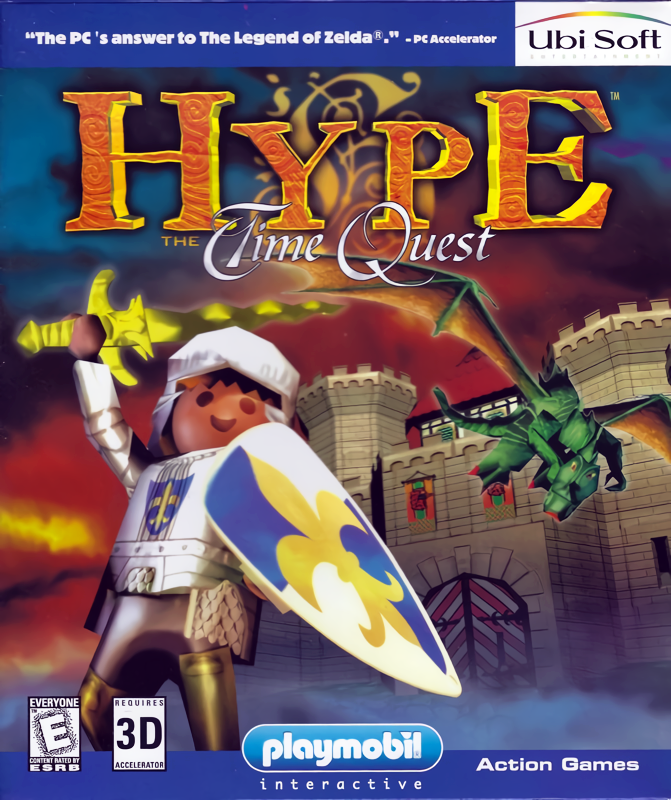
Hype: The Time Quest is an Action RPG/Action-Adventure video game published by Playmobil Interactive and developed by Ubisoft released on 1999 for Microsoft Windows.Based on the medieval castle toy series from Playmobil, Hype: The Time Quest is an action game with puzzle-solving and light role-playing elements, similar in style to 3D installments of the Zelda series. Hype primarily fights with close-range weapons, though he can also cast offensive spells in three elemental categories. Hostile areas occupy the largest portion of the game; Hype will explore dungeons, face boss monsters, and will have to hunt for quest items needed to advance the story. Some of the puzzles revolve around time-traveling concept.
King Taskan IV celebrates the end of a civil war. The valiant warrior Hype is given the Sword of Peace for his heroic deeds and his loyalty to the throne. However, a mysterious black knight named Barnak appears and casts a powerful spell on Hype, turning him into a statue and sending him two hundred years into the past. The magician Gogoud brings Hype back to life, and the brave knight has to figure out a way to return to his own time, defeat Barnak, and marry his sweetheart Vibe.
This game was a complete pain to get working in modern Windows and several fixes had to be applied to it. If you're unable to get this post to work no matter how hard you try, you can find the files I used to fix it to work here and the iso of the game for installation here.
To play the game launch from MaiD3Dvr_bleu.exe as the other one just crashes. edit: Actually I've just recently gotten the MaiDFXvr_bleu exe to work too just now for some reason. The game filtering looks sharper through it and it didn't crash. That was weird. I included dgVoodoo with it. Don't change too many of the options in it or you might break it from working. I couldn't get controller support to work even after doing the fixes that was told in the readme from the fix from github. Also, I have no idea how to change resolution since it's supposed to be from the Hype.ini file but changing it does nothing. Setting one in dgVoodoo also does nothing. In order to get the FMVs to work you might need to enable the indeo video codec by typing and entering this in Windows Command-line as admin:
regsvr32 "%WINDIR%\SysWOW64\ir50_32.dll"
If you're using a 32bit version of Windows replace SysWOW64 with System32 in that line.
This game was uploaded since someone in the comments mentioned it and I felt like obliging them (aren't I nice? lol)
Also isn't comparing this game to Zelda a bit of a stretch? I mean fundamentally? I guess
Last edited: