Filters and shaders!

I like using shaders and filters to make old games look a bit better. It feels like changing graphic options to ultra.
 
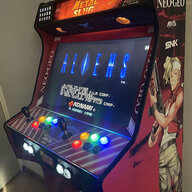
I always spend some time setting up shaders and overlays for every new RetroArch install. For console games meant for CRT TVs, I often use fakelottes+film_noise as a lightweight shader combo. For handheld systems, I go with integer scaling when possible and apply a grid shader (lcd3x/retro_V2) plus just a bit of motion blur to simulate the slow refresh rate.
RA-Shaders-Screen01.jpg

RA-Shaders-Screen01b.jpg

RA-Shaders-Screen03.jpg

RA-Shaders-Screen02.jpg
 
So without starting a war what is your stance on filters.
Do you use them?
If so what are your favorite?

I have had a stance on not using them for the longest now but that's because they didn't look right to me.
Now I have seen some that actually look pretty decent and if given the right circumstance I would use them.
When I do use them I just use crt filters. I'm still against smoothing filters.

I like to use some filters when I'm playing on PC, I like some natural things that doesn't change the appearance of the screen too much.
However, I mostly play on the phone and I have no idea if there even are filters for mobile emulation. If anyone knows please let me know
 
Found that trying to go with the whole CRT shader shebang (scanlines, phosphor mask, blur) was a little too noisy for me, so I stick with NTSC shaders + a bilinear filter to smooth out the colour bleed.
1773370148178.png
 
Reshade is awesome, i kinda "remastered" Gears of War 2 with it adding extra effects like ambient occlusion,lightscattering,selfshadows, tad more color,and reflections :
 
Last edited:
Highly recommend Zombeaver presets. however they are blown out on current retroarch. If you scroll down to the bottom at that link you can find a recommended older version of Retroarch that is compatible with them. Zombeaver also has a website called Zomb's Lair with some cool abandonware PC games fixed up to work on modern systems, as well as a few "definitive" patches that apply his shaders to PC games like Septerra Core.
 
I think I fell into the path a lot of people fall into where I assumed scanlines were bad "because they cover up half the image" and that pixel perfect emulation was the way to go. I'd set RetroArch to Integer scale with cropping set to smart so the game would fill up as much of my screen as possible without changing the aspect ratio (and risk causing that weird shimmer effect when you get 1.5 pixels and the screen starts rounding). I was super stoked because "Wow its a crystal clear image, so much better than what was around back in the day!"

But then I went to play Chrono Trigger on the SNES and it was wrong. The edges were all sharp and jaggy and the image was just unpleasant to look at like it would cut you or something. That was when I realized that retro games were designed on CRT tvs, they are meant to have scanlines that break up the image and have a certain amount of signal noise to blend colors and it makes a huge difference in low res images. It literally is how anti-aliasing was done back in the day and how the artists that designed the game wanted it to look.

What I decided would be a good general guideline is for every console that came out without a hdmi port on it try the game with scanlines first. I find PS2, GC/Wii, and Xbox usually look better with scanlines and anything PS1, N64, Dreamcast or earlier almost always looks better with scanlines. This is a pretty convenient cutoff as it is basically everything RetroArch emulates well. It does have GC/Wii and PS2 cores but they are not as good as Dolphin and PCSX2.

I also like to use CRT filters on handhelds too like Game Gear, GB, GBC, GBA, DS, and PSP as the PSP had TV output and the GB Player on the GameCube would play up to GBA games so it is a period authentic look but mostly the fact is that handhelds had low resolution images so the same things that helped improve low resolution console images improve handheld images IMO.

Lastly a lot of people don't know RA can do this but you can actually in the RA file browser or by right clicking and selecting "Open with", "RetroArch" play video files in RetroArch. Another general guideline I have is to try a CRT filter first on any movie/tv show/anime made in 2005 or earlier (about the time flatscreen tvs became widely used). It can make a huge difference with early CGI/props/makeup and many early anime relied on CRT color blending to be on the image so they used dithering patterns which they assumed would get mixed by the TV to smooth out things like clouds and fog.
Screenshot from 2026-03-25 15-04-59.webp

Screenshot from 2026-03-25 15-06-06.webp

Screenshot from 2026-03-25 15-12-38.webp


Worst case scenario you don't think it improves the image and turn shaders off. I suggest pressing "p" the hotkey for "pause" in RA to stop the image from changing and then pressing "," the hotkey to enable/disable shaders in RA to see what things look like with and without shaders and see if you like the effect.

As for what shaders I like RA has many great built in options like "crt guest advanced", "crt hylian", "crt mattias" (I edit this one and set the curvature to 0), "crt royal", and "newpixie crt" (again I set the curvature to 0). But my favorite shaders are the Retro Crisis pack on github which have 4k, 1080p, and Steamdeck presets for all shaders.

If you would like to try shaders on PCSX2 sadly you can no longer add your own shaders to it but you can go to "Settings, Graphics, Post-Processing" and pick "Scanline Filter" or "Lottes CRT" under "TV Shader:" and both look good even if they are not my favorite.
Final Fantasy X Title.webp


GTA Vice City Chopper.webp


Dolphin will actually let you add .glsl shaders to "Dolphin\Shaders" wherever you installed the emulator. I like 2 custom shaders off github by Mariodivece named "crt zfast dolphin v6" and "mad scanlines", just download the zip, extract it, and put the .glsl files in the Shader folder, then restart Dolphin and go to "Options, Graphics, Enhancements" and select them from the drop down list for "Post-Processing Effect:".
Resident Evil Title.webp

Twilight Princess Castle.webp

Xenoblade Fog.webp
 
Last edited:
I forgot to mention for low powered PCs (like a Pi or just something that doesn't cost over $1,000 at today's prices evidently) or something battery powered (phone, steam deck, emulation handheld) that might not be packing great system specs or just to get longer out of your battery life there are some really good CRT like effects that might not be as good as the intensive CRT filters but will still massively improve the image and not drain kill your battery or melt a gpu that costs less than a crappy car.

For starters if you are emulating on a phone (used android phones are one of the best budget emulation machines IMO because you get an AMOLED screen, decent battery, and a snapdragon chip + everyone dumps them the second the new flagship phone drops so you can go 1 gen behind the latest hotness for like $400, or 2 gens behind for like $200 and have a device that blows all the little Game Boy emulation handhelds out of the water, just throw in like a $25 8bitdo controller) I'd drop the resolution down to the lowest setting in "Settings, Display, Screen Resolution" which is 720p with some room at the sides. Even for GC/Wii and PS2 most games were still at 480i or 480p and games only rarely went to 720. So if you set your phone to have more pixels than the system you are emulating that just means you are making more picture to fill and using more battery on updating more pixels and more rendering power. Also the Steam Deck is 720p with a 7.4" screen that is probably bigger than your phone and it looks great so IMO even on modern content flooding a small screen with millions of pixels is a waste of battery/gpu resources. Especially if you are on a tight budget that is not what I would be dumping my money into.

Anyways in the actual RetroArch emulation settings there are a couple ways to get a CRT effect without tanking your system resources. To find out what works best temporarily turn on the fps tracker in "Settings, User Interface, On-Screen Notifications, Notification Visibility, Display Framerate". For testing I'd use a harder to emulate system like the N64 or Wii cores and if whatever filters you are applying take more than 5fps off your total I'd say you are doing more harm than good to your gaming experience. Ideally you'd still be getting 60fps at 720p on a handheld or 1080p on a budget PC but on a 120hz or 60hz display 40fps can still be a very solid experience. 30fps will be a bit rough in fast paced games in the racing, fighting, rhythm, or shooter genres but still playable if that is what your budget allows.

Luckily RA has several shaders designed to imitate CRT screens without melting lower end devices/draining your battery. Once you run the game going to "F1, Shaders, Load Preset, Slang, CRT" and selecting anything with "Fast" "Fake" "1tap" "Potato" or "Zfast" in the name will give you a lower resource filter. Of which my favorites are "CRT Potato Fake Geom" and "Zfast composite".

Another low resource method you can try is to stack 2 simple filters such as going to "F1, Shaders, Load Preset, Slang, CRT" and applying "CRT BlurPi Soft" which takes a little bit of the harsh edges off the image and blends some of the colors like an Analogue video signal would and then going to "F1, Shaders, Append Preset, Slang, Scanlines" and applying a separate scanline filter such as "Res independent scanlines" to complete the faux crt effect.

Perhaps the lowest resource way to get a halfway decent CRT filter is to use a low resource filter to apply a bit of blur and combine it with a scanline overlay. You can do this by going to "F1, Shaders, Load Preset, Slang, CRT" and applying "CRT BlurPi Soft" and then going into "F1, On-Screen-Overlay, Overlay Preset, ctr, effects" and selecting the "scanlines-alpha" overlay which just puts a semi transparent overlay over your low resource blur filter.

So altogether the options look like:
Raw image - Note how bright the text is, the washed out colors of the black robe, the jagged lines around the witch's fingers/hat/teeth/sash and how the green smoke over her hat looks like a solid blob of green.
RAW.webp


CRT Potato Fake Geom & Zfast Composite - Note the text is no longer blinding, the blacks on the robe/hat are no longer washed out so you can see some depth, the jagged lines are greatly smoothed out, and the green smoke actually appears transparent now.
CRT potato fake geom.webp

CRT Zfast Composite.webp


Crt blurPi Soft combined with Res Independent scanlines for 2 low resource filters to approximate the 2 most prominent features a CRT has.
CRT blurPi Soft + RES independent scanlines .webp


Crt blurPi Soft combined with a scanline overlay for an even lower resource way to accomplish that effect but not as well executed.
CRT blurPi Soft + Scanlines Aplha Overlay.webp


And lastly here is a balls to the wall CRT filter with all the bells and whistles to compare them against a GPU intensive version (Retro Crisis SNES CRT filter (And yes I'm aware this is a N64 game but I like this filter best on almost everything so don't be afraid to make your own damn rules))
Retro Crisis SNES.webp


I'd say your enjoyment depends entirely on how you frame the experience in your mind. Yes the games look best on a CRT but if you don't have a CRT available or a good way to connect your PC to a CRT or the original consoles + games or everdrives laying around then a full CRT filter on an AMOLED or Oled screen is like 95% as good as that original image, and if you don't have a powerful PC/handheld device then a low resource CRT filter is still like an 80% improvement over where you started. Also important is these are still images and in motion the picture also looks better with some kind of CRT effect to minimize ghosting.
 
Last edited:
I absolutely adore CRT shaders. I used to be all about wanting to see the raw pixels of old 2D games* or old 3D games rendered at much higher resolutions but nowadays? Nah, gimme those CRT filters.

Something like this:
Super Mario 64-260327-015038.png


Is so much more visually appealing to me than this nowadays
Super Mario 64-260327-014916.png


And yes, I use borders too because I like 'em. I use CRT shaders for any home console up to the Dreamcast, obviously I do know that people were still playing stuff like PS2 and GameCube on CRTs (I mean that's what I did with my PS2) but IDK that's just my cutoff for CRT filter vs rendering at modern resolution. Although I say this and I actually do technically render Nintendo 64 games at higher resolutions, but then I downscale it back to the original resolution as a form of SSAA to give an 'improved' look without really taking away the N64's whole look in and of itself.

Also use 'em for handhelds too because yeah:
Kaitou Saint Tail (Japan)-260329-231955.png


*Alright you know what fine, I'll admit to my sins here. When I was much younger and still using friggin ZNES on my childhood computer for my SNES emulation, I regularly used smoothing filters which utterly destroyed the pixel art because I liked how it made games like Yoshi's Island look more 'like a cartoon'.
 
Excellent taste!
The one thing I would caution about is if you use borders on an OLED screen it could lead to faster burn in having the same image up there for many hours unmoving.

But if you avoid bright colors and run the burn in prevention program (Most oleds have them in their options and they run for like 5 mins, I usually throw it on before going to the bathroom) it shouldn't have a big impact. Especially if it is a game less than 50 hours and then you are jumping to a different border after that.
 
Excellent taste!
The one thing I would caution about is if you use borders on an OLED screen it could lead to faster burn in having the same image up there for many hours unmoving.

But if you avoid bright colors and run the burn in prevention program (Most oleds have them in their options and they run for like 5 mins, I usually throw it on before going to the bathroom) it shouldn't have a big impact. Especially if it is a game less than 50 hours and then you are jumping to a different border after that.
Luckily (in this case) I don't have an OLED.

So maybe I'm not getting the 'most authentic CRT filter experience' here but eh ::coolstafy
 
Luckily (in this case) I don't have an OLED.

So maybe I'm not getting the 'most authentic CRT filter experience' here but eh ::coolstafy
If your picture looks good to you that's all that matters. And anyone that tells you that you can only enjoy an oled screen is an idiot you should ignore. I'm not going to say it isn't better but it isn't an essential upgrade I would lose sleep over. I will say that we've kinda entered into a golden age of good cheap oleds right now (because AI has bought out most computer parts so people aren't upgrading and the monitors are just sitting on shelves). Especially if you are willing to go 1440p and not 4k. Linus Tech Tips just did a video on a great 27" oled you can grab for $420 (although I'm sure it will be bought out for a few weeks now that it got put in the spotlight).

Considering the state of the AI bubble right now a monitor is about the only thing I would say you could upgrade without being robbed.
 
This is not an April Fools but honestly it is so over the top I wouldn't blame people for thinking it is. A shader is currently in beta testing in RetroArch Nightly that mimics an original GBC screen as closely as possible, including an option to use your device's gyro sensor to detect the angle the screen is being tilted and add a rainbow highlight that sunlight would create when it hit a GBC screen at an angle.

Personally I think emulating sunlight reflection with real time angle shifts is kinda nuts (SUPER COOL though) but the regular version of this shader is amazing if you want to play a GBC game and have it look gorgeous.
 
So without starting a war what is your stance on filters.
Do you use them?
If so what are your favorite?

I have had a stance on not using them for the longest now but that's because they didn't look right to me.
Now I have seen some that actually look pretty decent and if given the right circumstance I would use them.
When I do use them I just use crt filters. I'm still against smoothing filters.

yeah, i really do not like smoothing my graphics, but i do use crt on occasion as that was the original way the game was meant to be viewed and was made in and for.
 
I like that sort of thing I'm always impressed by how games can be spruced up with things like that.
 
Lately, I've been really charmed by the crt-royale-xm29plus preset from the default Retroarch windows package (located in \shaders\shaders_slang\presets). When I was a kid, we had a black-and-white TV at home. But there was a sort of game club in a nearby store, and (as far as my unreliable memory goes) the TVs there showed a similar kind of picture. Bright, soft, glowing... They sold all sorts of things there: TVs, VCRs, game consoles, vases, bathtubs, chandeliers, and so on.
Assault Suits Valken (Japan) [T-En by Aeon Genesis v1.00] [n]-260430-115318.jpg
Bonkers (U) [!]-260430-120630.jpg
Joe & Mac 2 - Lost in the Tropics (U)-260430-121523.jpg


sharex_RetroArch_LRPS2_v2.0.0-2b19f7f__FPS__59.93_2026_04_28_15_36_18.jpg
sharex_RetroArch_LRPS2_v2.0.0-2b19f7f__FPS__59.95_2026_04_28_17_01_18.jpg
 
I enjoy those borders you get on games that don't have the right aspect ratio, but I usually avoid filters and shaders unless they do something really cool.

If we're talking CRT filters, I just find them irritating, and nothing at all like a real CRT. But you can sometimes find some fun shaders I guess. Still, they feel like more of a distraction when I can enjoy games through emulation with so much more clarity than I used to be able to play them.
 
I use the Retro Crisis ones, can't remember exactly which of the ones. But yes, you can tell the dude has many CRT screens and that he knows his stuff. I saw some comparison (maybe by him, cant remember) but yes it looked the same as the CRT.

There are many bad and some just so-so CRT shaders, you see what they're going for but likely they did not compare 1:1 to the real thing, more like "it should approx. look like this i think".
 
There are a few really good ones who can really improve the games.
 
I'm running Batocera on a RPi 5. For 16-bit stuff, I'll usually just go with the Batocera's 'scanlines' shader set. Makes everything look and feel as it should, for my tastes anyhow. YMMV
 
Does anyone know of a good scanlines one for a CRT monitor at 640x480? Unfortunately my monitor does not work at such low resolutions that scanlines would naturally appear.

I have found a good one for the modern screen i use, but not for my CRT.
 
If you would like to try shaders on PCSX2 sadly you can no longer add your own shaders to it but you can go to "Settings, Graphics, Post-Processing" and pick "Scanline Filter" or "Lottes CRT" under "TV Shader:" and both look good even if they are not my favorite.
View attachment 167137

View attachment 167138

This info will soon be outdated! PCSX2 will soon have its own post-processing tab in the main settings interface that will support all RetroArch shaders!!!
 

Users who are viewing this thread

Connect with us

- -

Support this Site

RGT relies on you to stay afloat. Help covering the site costs and get some pretty Level 7 perks too.

Featured Video

Latest Threads

One handheld for life, what are you choosing?

Similar to my "one console for life" thread: if you were only allowed to play one retro handheld...
Read more

How far were you willing to go for unlockables?

I see the "quest" for unlockables as the ultimate sign that you're enjoying a game.

Grinding a...
Read more

LaunchBox + RPCS3 = Vulkan Error

Ok so RPCS3 works perfectly for me when I run game through it. No Vulkan issues at all.
However...
Read more

Let's Boycott watching Teen Titans Go Big Time!!!!!!

Teen Titan Go is one of the worst shows on Cartoon Network and it ruined the original Teen...
Read more

Online statistics

Members online
99
Guests online
2,993
Total visitors
3,092

Forum statistics

Threads
20,073
Messages
507,881
Members
928,316
Latest member
Ahxin728

Today's birthdays

Advertisers

Back
Top