PC-98 Dragon Slayer: The Legend of Heroes (English Patched) NEC PC-98

CSmith327

Final Form
Repo Curator
Level 5
16%
Joined
Dec 1, 2024
Messages
1,241
Level up in
1259 posts
Reaction score
2,156
Points
4,477
Location
North Carolina, USA
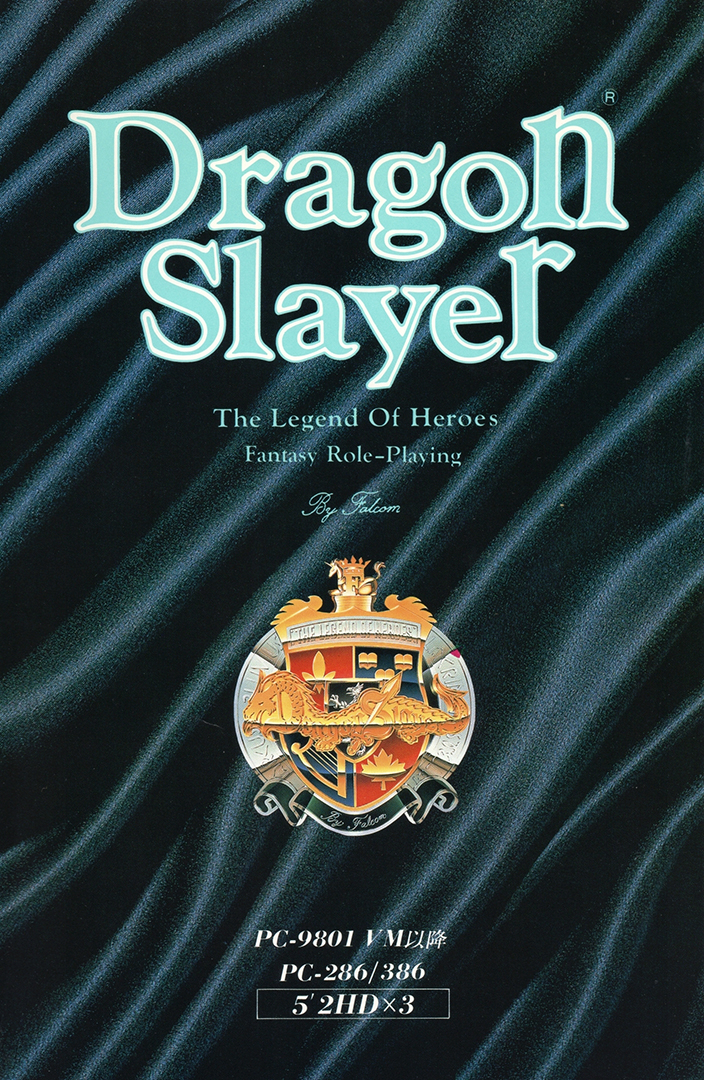
dragon-slayer-pc-98-cover.webp

Game Description:​

Dragon Slayer: The Legend of Heroes (ドラゴンスレイヤー英雄伝説) is an RPG video game published by Nihon Falcom and developed by Nihon Falcom released on April 20th, 1990 for the PC-98.

Dragon Slayer: The Legend of Heroes, released in Japan in 1989 for various platforms, was the sixth game in the Dragon Slayer series and the first game in the Legend of Heroes series. While it did receive an official English release on the TurboGrafx-CD, that version had some changes, including minor censorship and fairly arbitrary changes to the names of characters and places. This patch for the PC-98 version attempts to stay as true to the original text of the game as possible.

Since the PC-88 version was the original version in 89 and this port came out before any of the next ports and is basically that same one but with the better hardware of the PC-98 then that pretty much makes this the best way to play the original vision for the game. Along with a translation more close to the original script compared to the US release on TurboGrafx-CD.

Translation Credits:​

Released by: NLeseul
Language: English
Status: Fully Translated
Patch Version: v0.9b
Date: 28 July 2024

Source and details: https://www.romhacking.net/translations/7364/

The readme file contains an English translation of the game manual. Here's some important excerpts from it:

Starting the game:​

To view the opening cinematic, insert the Event Disk into drive 1 and boot the system.

If you hold the [SHIFT] key while booting, the Utility Menu will be shown instead. This menu allows you to start the game without viewing the demo, as well as configuring game difficulty, system hardware, and other settings.

The effect of the difficulty setting is to change the EXP and gold awarded from defeating monsters. Players who really, really like grinding are encouraged to change this setting.
  • Easy - Uses the default settings.
  • Normal - 75% of the default values.
  • Hard - 50% of the default values.
  • HELL - 25% of the default values.
To continue a previously saved game, insert the Program Disk into drive 1 and the Scenario Disk into drive 2. The Scenario Disk is used to save in-game data, so ensure that it is writable.

Game controls:​

Use the numpad/ten-key to move your character in the game and to navigate menus. [4] [6] will move left and right; [2] [8] will move up and down. If you hold down the [SPACE] key while moving, you will not trigger conversations when touching other characters.

[SPACE] [RETURN] [XFER] are used to select an option in menus.

[ESC] [SHIFT] [NFER] are used to show the in-game menu, or to exit a menu without making a selection.

You can also control the game with a joystick or a controller. The directional pad is used for movement. Button 1 is used to select an option; button 2 is used to show the menu or to cancel selection.

To save time when navigating menus, the function keys [F1]~[F10] can be used as shortcut keys for commonly-used commands. A reference for these functions can be shown during gameplay by setting the "Function keys" option in the utility menu to "Show".
  • [F1] - Use a Lens of Joshua.
  • [F2] - Use the Warp spell.
  • [F3] - Use spells.
  • [F4] - Use items.
  • [F5] - Change equipment.
  • [F6] - Show the system configuration menu.
  • [F7] - Show the combat configuration menu.
  • [F8] - Save.
  • [F9] - Load.
  • [F10] - Load from RAM.
This game does not work with RetroArch and you'll need to use Neko Project 21/W. I've tried to get it to work with it, but RetroArch doesn't support the floppy disk image format this game is using and converting it to the format it does support just breaks the game completely (I've tried 3 different floppy image management programs to no avail) A helpful guide of how to setup and configure Neko Project 21/W can be found here. I recommend you check it out as it will be a great help.

Note: I've tried and tried to do what it says to get the Shift key to open the Utility menu, but the Shift key just seems to do nothing at all. I would appreciate some help in resolving that since I want to be able to access the difficulty and game settings.


Download Links​

 
depending on what kind of pc98 game this is the ever memed phrase "i said SLAY the dragon" is very fitting
this is the wholesome kind, here you actually do slay the dragon. (if there is a dragon in the game that is)
 
Floppy disk games that have no installation options to install to hard drives cannot be made into hard disk image versions. This game is one of those and can only be ran from floppy disk. Also the floppy format they used for this is messed up. It's supposed to be T98-Next format but nothing made for that format can read these and say they're corrupt. I've not been able to convert the files into any other format without breaking the game completely
i did not know that. well thats unfortunate. ;-;
 
anyone know how to install these as a single hdi file? i got a lot of pc-98 games but they're all hdi version
Floppy disk games that have no installation options to install to hard drives cannot be made into hard disk image versions. This game is one of those and can only be ran from floppy disk. Also the floppy format they used for this is messed up. It's supposed to be T98-Next format but nothing made for that format can read these and say they're corrupt. I've not been able to convert the files into any other format without breaking the game completely
 
anyone know how to install these as a single hdi file? i got a lot of pc-98 games but they're all hdi version
 
I do find it amusing, how this got updated when Falcom announced a new Dragon Slayer project. It's quite a laugh and a hint of irony.
 
Yes! And as it seems we're currently on a spree of translating pc98 rpgs, may I suggest one called "KIGEN: Kagayaki no Hasha?" to the pc98 translation scene? It's perfect for anyone who wants to experience classic jrpg style (turn based with overworld exploration and even an underwater counterpart that you access via submarine).
You should try mentioning that on the PC-98 Discord server. You might actually find someone willing to work on it. You can find the invite to it here
 
Another PC-98 title, nice.
Yes! And as it seems we're currently on a spree of translating pc98 rpgs, may I suggest one called "KIGEN: Kagayaki no Hasha?" to the pc98 translation scene? It's perfect for anyone who wants to experience classic jrpg style (turn based with overworld exploration and even an underwater counterpart that you access via submarine).
 
I've followed the instructions but the retroarch core does not load the game after inserting the event disk in step 4, all I get is a black screen. Not sure what I'm doing wrong.
It's just slow to load unless you increase the cpu speed. I just make the emulator fast forward for a few seconds to get it to start. I thought it wasn't working at first, but it does. I even played it on PS Vita last night and it works too using the way I described. By restart I meant go to the Quick Menu and choose Restart after inserting the disks
 
I've followed the instructions but the retroarch core does not load the game after inserting the event disk in step 4, all I get is a black screen. Not sure what I'm doing wrong.
 
Before Trails, it was Dragon Slayer
 
Last edited:
I tried getting this game to work on my Steam Deck via emudeck but to no avail. If anyone has been able to get this game to work with controller buttons let me know.
 
Great timing since Falcom just announced a new project for the OG Dragon Slayer series
The timing is entirely coincidental. I just randomly decided to add this to the repo since it was on my list of PC-98 roms to add. The same thing happened when I added Metal Gear Solid Mobile to the repo since everybody thought I was syncing it up with the fact that Konami had just announced the release date for Master Collection Volume 2 on that exact same day, but it was also entirely a coincidence since I was being random on that one too. I'm just spontaneous and anytime something looks like it was timed perfect or something, then it's most likely a coincidence lol. I didn't know about Falcom's new project until you mentioned it. I'll have to look it up
 
Great timing since Falcom just announced a new project for the OG Dragon Slayer series
 
cool beans, i wish the second title would get translated as well...
The only game in a giant series that has never been rereleased or fan translated.
There was once a project for the 2nd game that came so far along that they had a full voice cast assigned for the English dub, but for some reason it was cancelled. I remember that project since the game looked amazing and the scope of the project was impressive, but for some reason I can't find any information on it at all. It's almost like it never even existed, but I know it did at one point. Perhaps someone can find an archive.org Wayback Machine backup of the project page? So that I don't think I'm crazy and that it was just a fever dream
 
cool beans, i wish the second title would get translated as well...
The only game in a giant series that has never been rereleased or fan translated.
 
I got the Utility Menu to appear in NP2, just had to drop the CPU speed.
I dropped it to [2.4576MHz] x [1] under [Emulate -> Configure], and dropped the [Device -> Memory] to [1.6MB] so it wouldn't take as long to check the memory. It probably works at slightly higher settings but I'm not up for tinkering this evening.
Thanks bro, I was thinking it was because of my cpu values being too intense for the game. I was wanting to use NP21/W instead of RetroArch since it's my main goto PC-98 emu
 
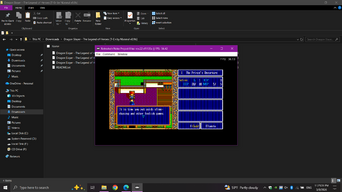
I got it working in RetroArch. I also got the utility menu to appear and was able to change the difficulty to Normal instead of Easy. I'll have to edit my post description on how to do it
I got the Utility Menu to appear in NP2, just had to drop the CPU speed.
I dropped it to [2.4576MHz] x [1] under [Emulate -> Configure], and dropped the [Device -> Memory] to [1.6MB] so it wouldn't take as long to check the memory. It probably works at slightly higher settings but I'm not up for tinkering this evening.
 
In case you don't already have the bios files for PC-98 in RetroArch then move the folder from inside this attached zip into your System directory (If using Windows from the default install location the folder is C:\RetroArch-Win64\system) Then you'll have no issues playing the PC-98 games that are on the repo with RetroArch
Post automatically merged:

I got up to the title screen and it just hangs there
That happens if another one of the disks is inserted when loading the Event Disk. Make sure to eject anything from FDD2 and then with the Event Disk in FDD1 restart and it should go past the title screen. Then follow the other steps in my description to fully play the game
 

Attachments

Last edited:
I got up to the title screen and it just hangs there
 
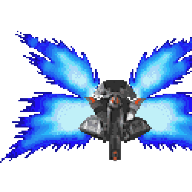
The carrion crawler looks like he could use a Snickers. Good to see this translated.
 
I got it working in RetroArch. I also got the utility menu to appear and was able to change the difficulty to Normal instead of Easy. I'll have to edit my post description on how to do it
 

Attachments

  • Untitled.png
    Untitled.png
    184 KB · Views: 32

Users who are viewing this thread

Connect with us

Support this Site

RGT relies on you to stay afloat. Help covering the site costs and get some pretty Level 7 perks too.

Featured Video

Latest Threads

Day-One Purchases?

Ever wheeled yourself to the store to get a game the day it was originally released?

I can't...
Read more

What are films you like but don't wanna admit that you like because of fear of being bullied online because of it?

Well, I like the Mario Movies. I don't care about the massive online discourse surrounding those...
Read more

What was the first console to "wow" you?

Believe it or not, I was never much of a gamer.

I was content with playing my NES until it...
Read more

I'm tired

i'm tired.
i'm just tired of everything, every single day i wake up thinking, "why am i still...
Read more

How many hours do you actually spend playing games in a week?

What the title said, don't you find it weird that people who likes video games actually willing...
Read more

Online statistics

Members online
235
Guests online
4,696
Total visitors
4,931

Forum statistics

Threads
21,538
Messages
543,438
Members
996,446
Latest member
Danil2708

Today's birthdays

Advertisers

Back
Top