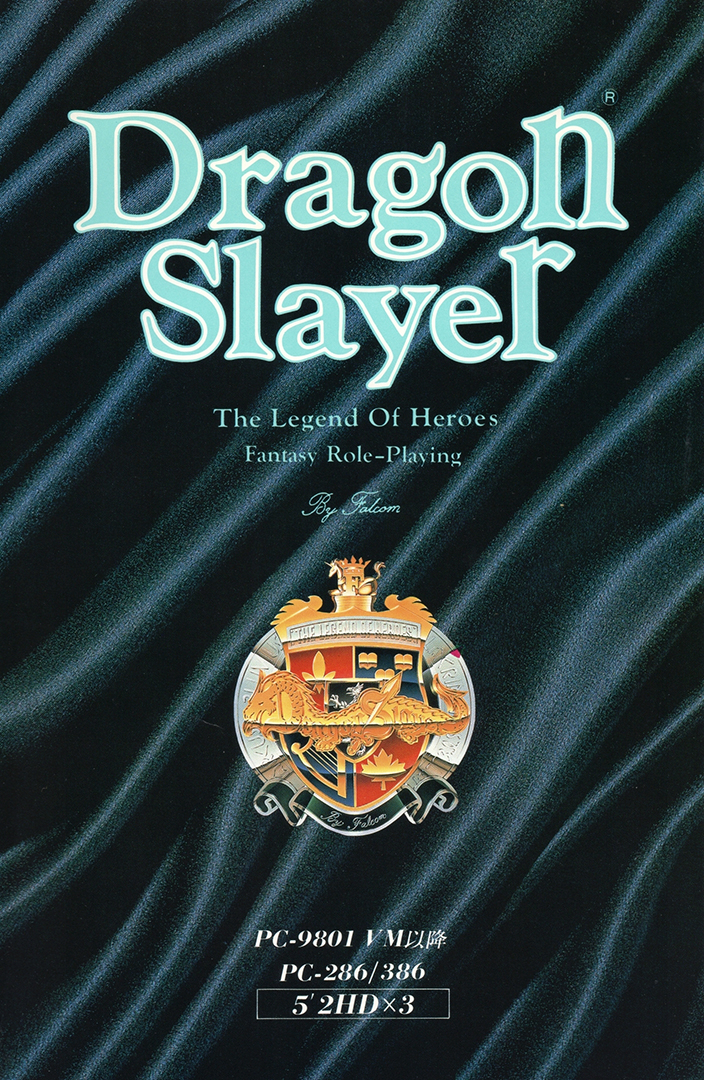
PC-98 Dragon Slayer: The Legend of Heroes (English Patched) NEC PC-98

CSmith327

Final Form
Repo Curator
Level 5
17%
Joined
Dec 1, 2024
Messages
1,248
Level up in
1252 posts
Reaction score
2,163
Points
4,477
Location
North Carolina, USA
dragon-slayer-pc-98-cover.webp

Game Description:​

Dragon Slayer: The Legend of Heroes (ドラゴンスレイヤー英雄伝説) is an RPG video game published by Nihon Falcom and developed by Nihon Falcom released on April 20th, 1990 for the PC-98.

Dragon Slayer: The Legend of Heroes, released in Japan in 1989 for various platforms, was the sixth game in the Dragon Slayer series and the first game in the Legend of Heroes series. While it did receive an official English release on the TurboGrafx-CD, that version had some changes, including minor censorship and fairly arbitrary changes to the names of characters and places. This patch for the PC-98 version attempts to stay as true to the original text of the game as possible.

Since the PC-88 version was the original version in 89 and this port came out before any of the next ports and is basically that same one but with the better hardware of the PC-98 then that pretty much makes this the best way to play the original vision for the game. Along with a translation more close to the original script compared to the US release on TurboGrafx-CD.

Translation Credits:​

Released by: NLeseul
Language: English
Status: Fully Translated
Patch Version: v0.9b
Date: 28 July 2024

Source and details: https://www.romhacking.net/translations/7364/

The readme file contains an English translation of the game manual. Here's some important excerpts from it:

Starting the game:​

To view the opening cinematic, insert the Event Disk into drive 1 and boot the system.

If you hold the [SHIFT] key while booting, the Utility Menu will be shown instead. This menu allows you to start the game without viewing the demo, as well as configuring game difficulty, system hardware, and other settings.

The effect of the difficulty setting is to change the EXP and gold awarded from defeating monsters. Players who really, really like grinding are encouraged to change this setting.
  • Easy - Uses the default settings.
  • Normal - 75% of the default values.
  • Hard - 50% of the default values.
  • HELL - 25% of the default values.
To continue a previously saved game, insert the Program Disk into drive 1 and the Scenario Disk into drive 2. The Scenario Disk is used to save in-game data, so ensure that it is writable.

Game controls:​

Use the numpad/ten-key to move your character in the game and to navigate menus. [4] [6] will move left and right; [2] [8] will move up and down. If you hold down the [SPACE] key while moving, you will not trigger conversations when touching other characters.

[SPACE] [RETURN] [XFER] are used to select an option in menus.

[ESC] [SHIFT] [NFER] are used to show the in-game menu, or to exit a menu without making a selection.

You can also control the game with a joystick or a controller. The directional pad is used for movement. Button 1 is used to select an option; button 2 is used to show the menu or to cancel selection.

To save time when navigating menus, the function keys [F1]~[F10] can be used as shortcut keys for commonly-used commands. A reference for these functions can be shown during gameplay by setting the "Function keys" option in the utility menu to "Show".
  • [F1] - Use a Lens of Joshua.
  • [F2] - Use the Warp spell.
  • [F3] - Use spells.
  • [F4] - Use items.
  • [F5] - Change equipment.
  • [F6] - Show the system configuration menu.
  • [F7] - Show the combat configuration menu.
  • [F8] - Save.
  • [F9] - Load.
  • [F10] - Load from RAM.
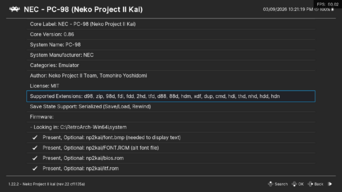
This game does not work with RetroArch and you'll need to use Neko Project 21/W. I've tried to get it to work with it, but RetroArch doesn't support the floppy disk image format this game is using and converting it to the format it does support just breaks the game completely (I've tried 3 different floppy image management programs to no avail) A helpful guide of how to setup and configure Neko Project 21/W can be found here. I recommend you check it out as it will be a great help.

Note: I've tried and tried to do what it says to get the Shift key to open the Utility menu, but the Shift key just seems to do nothing at all. I would appreciate some help in resolving that since I want to be able to access the difficulty and game settings.
Download Links​

 
depending on what kind of pc98 game this is the ever memed phrase "i said SLAY the dragon" is very fitting
 
You cannot use the "load content" option in the RetroArch core menu. However you can use the built in disk menu.
1. Open Neko Project core>start core (do not load content)
2. Press left trigger on your controller. This opens the neko project GUI
3. FDD>FDD1> Open Load the first disk
4. Repeat steps 2 and 3 when it asks you to load the program disk and scenario disk after the opening movie
This is how I got it started
Oh it was just taking so long to load that I just didn't see it through. I probably need to increase some of the values for the CPU and RAM. Maybe this means that it does work with the converted .nfd to .fdd files? I'll convert it and try again
 
How? RetroArch doesn't recognize the file format. It's not a supported extension in the core
You cannot use the "load content" option in the RetroArch core menu. However you can use the built in disk menu.
1. Open Neko Project core>start core (do not load content)
2. Press left trigger on your controller. This opens the neko project GUI
3. FDD>FDD1> Open Load the first disk
4. Repeat steps 2 and 3 when it asks you to load the program disk and scenario disk after the opening movie
This is how I got it started
 

Attachments

  • Screenshot (4).png
    Screenshot (4).png
    71.2 KB · Views: 21
Yes, it does work with RetroArch. You have to load the disks by pressing left trigger inserting disk 1 in FDD1.
How? RetroArch doesn't recognize the file format. It's not a supported extension in the core.
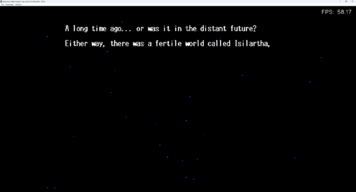
edit: I found what you were talking about and was able to bring up the menu to insert the nfd file into FDD1 but it still doesn't work and stays on a black screen
 

Attachments

  • RetroArch __ FPS_  60.02 3_9_2026 10_21_20 PM.png
    RetroArch __ FPS_ 60.02 3_9_2026 10_21_20 PM.png
    121 KB · Views: 16
Last edited:
Yes, it does work with RetroArch. You have to load the disks by pressing left trigger inserting disk 1 in FDD1.
 

Users who are viewing this thread

Connect with us

Support this Site

RGT relies on you to stay afloat. Help covering the site costs and get some pretty Level 7 perks too.

Featured Video

Latest Threads

PC gamers, I need your power!!!

Many years ago I made the decision to leave consoles behind and buy a PC gamer. Next month I'll...
Read more

cant play puyo puyo 15th aniversary

dolphin crashes whenever i start the game
PLEASE HELP
Read more

Exceptions to the Rule

Which games made you realize there's hope in a genre you hate?
1784597258113.jpeg

I personally dislike...
Read more

Remember Deca Sports?

Hey, does anybody here remember playing Deca Sports for the Wii and/or any of its...
Read more

"That's a weird way to phrase that!"

What's the oddest thing you have read/heard a character in a game say?

Mine is probably this...
Read more

Online statistics

Members online
185
Guests online
3,829
Total visitors
4,014

Forum statistics

Threads
21,560
Messages
544,297
Members
998,361
Latest member
Joalxing

Today's birthdays

Advertisers

Back
Top