- Joined
- Dec 1, 2024
- Messages
- 1,014
- Level up in
- 1486 posts
- Reaction score
- 1,750
- Points
- 4,477
- Location
- North Carolina, USA
Download Links
Game Description:
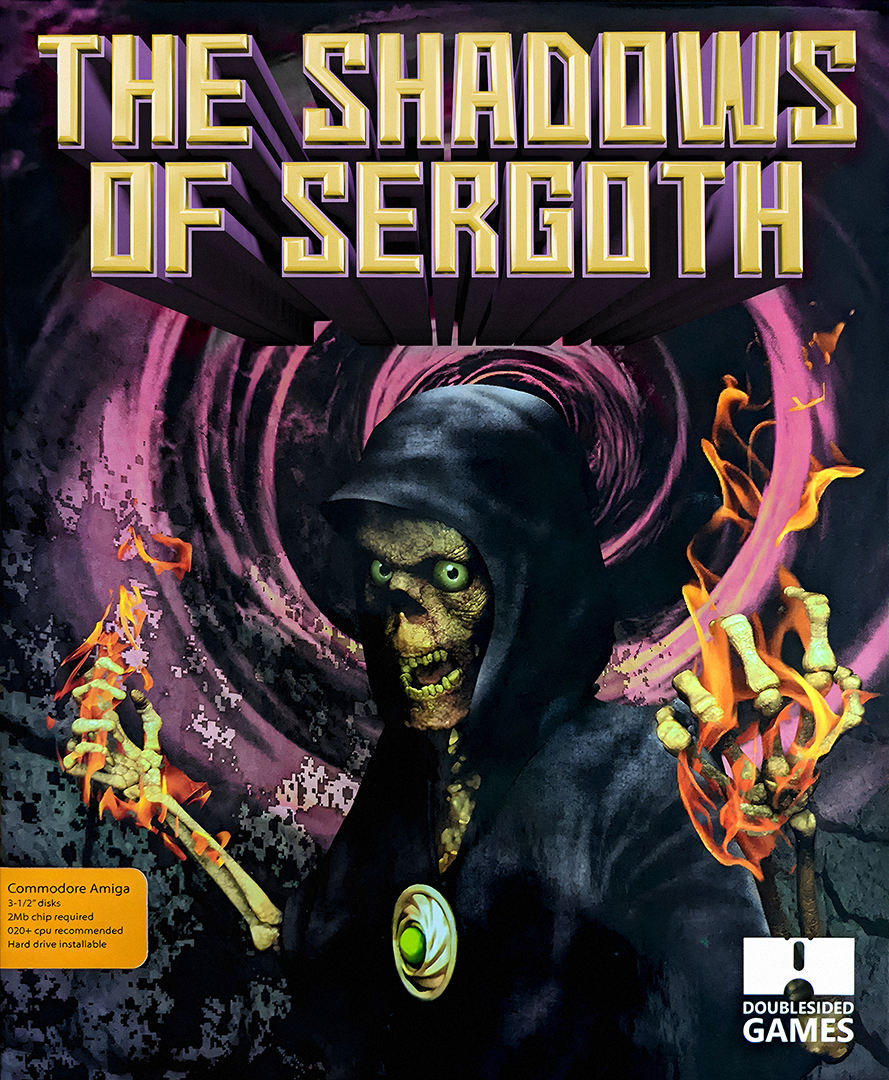
The Shadows of Sergoth is a Dungeon Crawler/RPG video game published by Double Sided Games and developed by Raster Wizards released on November 13th, 2021 for the Amiga.The Shadows of Sergoth is a dungeon crawler in first person view for the Commodore Amigawith 2Mb of ram. It is based on the 2018 Amstrad CPC 6128 game by Christophe Petit & Kukulcan.
Features:
- Rules are freely based on Microlite20, which is an extreme simplification of the Advanced Dungeon & Dragons
- 3 difficulty levels
- 24 spells to learn
- Character can level up to 20
- 5 races with different characteristics: human, elf, dwarf, half-Orc and human-lizard
- Save system
- Auto-map
- 20 levels to explore
- HD Installer
- Level Editor with Scripting Support
Included is an add-on DLC with 10 new additional maps to explore.
Also included is a pdf scan of the manual. Be sure to read it for a better understanding of the game and lore.
How to Run:
(Using .adf floppies)- Using either WinUAE or FS-UAE mount all 3 disk images and start the game using an Amiga A1200 or A4000 configuration with at least 2MB of chip ram assigned.
- Saves are handled using the Save Disk floppy so insert that disk when you plan to manage your saves.
- If using RetroArch you will have to use the Disc Control options to swap each disk when prompted since it can only have one disk at a time inserted. The game will play fine through it as long as you use Amiga A1200 or A4000 under the Automatic start option for when loading floppies in the Core Options for PUAE. You need to have the Kickstart ROMs in your System directory otherwise they won't be able to boot.
- Using a Workbench setup of your own or mine simply load the game executable inside the SoS folder to play the game.
- If using my preconfigured one: move the SoS folder and .info file into the shared PC folder (ClassicWB UAE v28\PC) and launch WinUAE.
- Load the A4000 turbo configuration and when the desktop has booted up open the PC folder and find and open SoS to get to the executable and launch it.
- To close out the game and exit back to Workbench when you want to quit press and hold the ESC key.
- The add-on DLC only works with a hard drive installation of the game. (not loading straight from the floppy)
- To be able to apply the DLC copy and overwrite all the files from the SoS folder from the DLC over into the SoS folder for the main game.
- Due to how everything is overwritten it's best to keep a copy/backup of the main game and play the add-on only after you've finished the main game as a sort of extra New Game+ you can do with your characters.