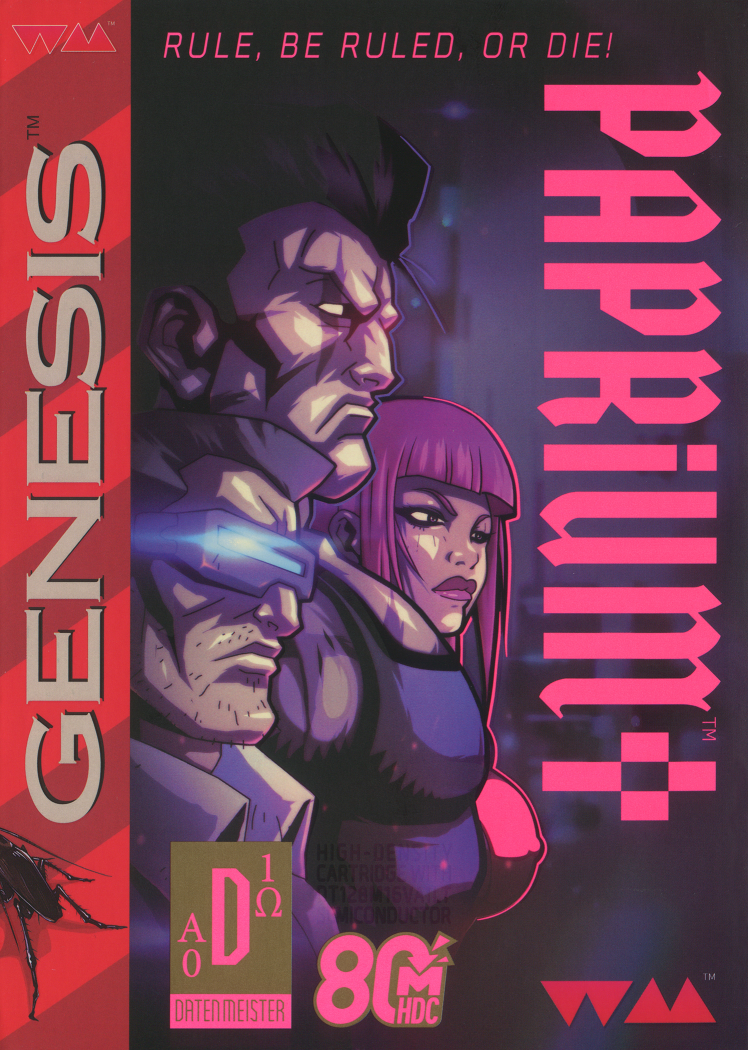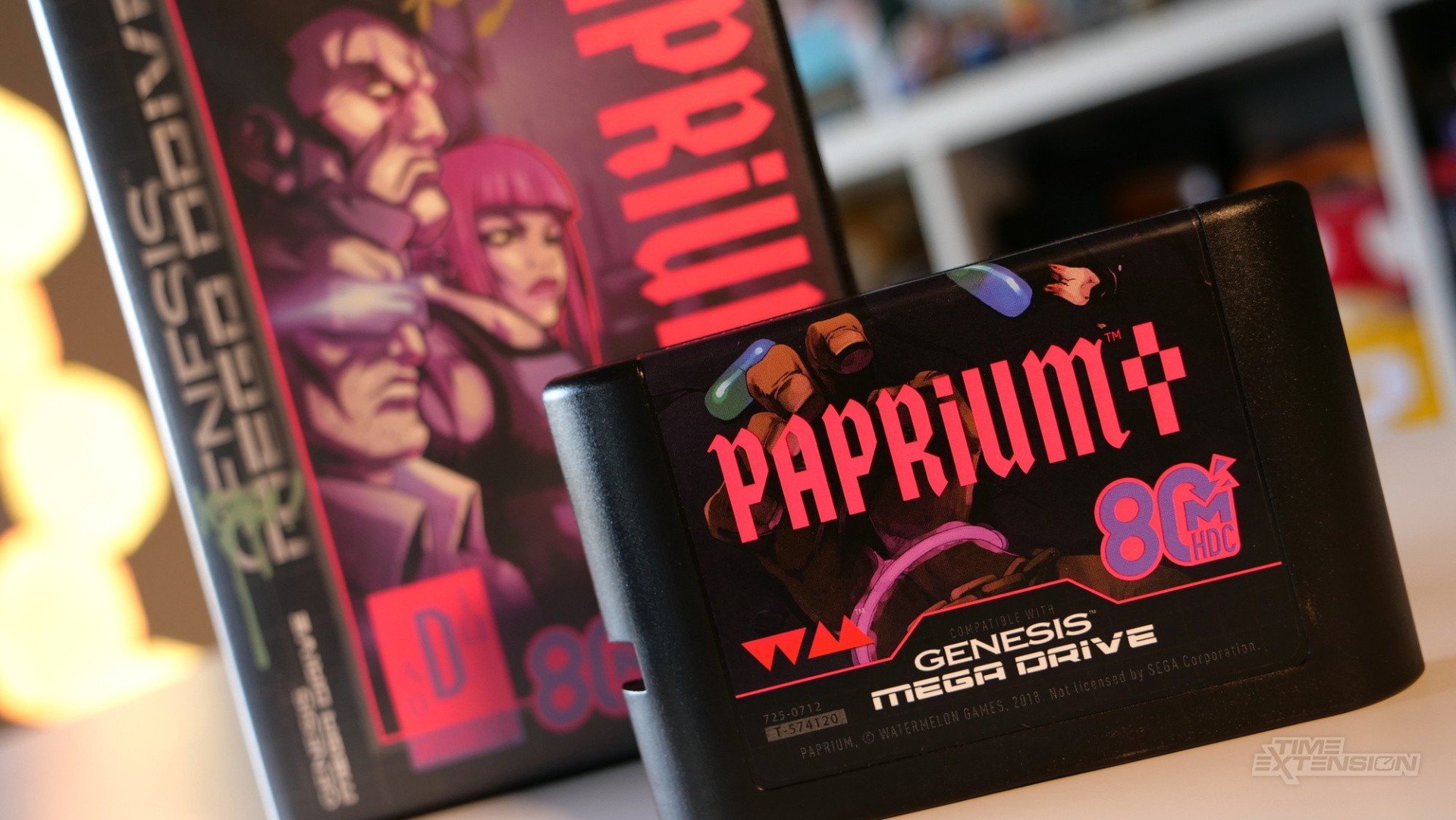
Genesis Paprium (Aftermarket) SEGA Genesis ROM

  • Thread starter Thread starter Spike's iconSpike
  • Start date Start date

Spike's iconSpike

So have a nice day
Spike's icon
Admin
Level 5
90%
Joined
Aug 20, 2024
Messages
2,348
Level up in
152 posts
Solutions
12
Reaction score
9,966
Points
3,577
Location
8th page of Google search results
9141865.jpg


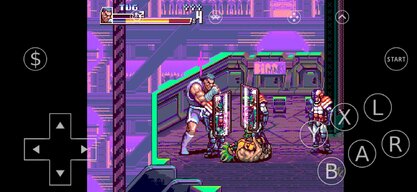
The file size is due to the music files on mp3. The actual game is 8MB. To play this on retroarch you have to use the core included, a modified genesis plus core, else the game will play a fake low res "mockup". So go to your retroarch cores folder, backup and delete your genesis_plus_gx_libretro.dll and replace it with the one included with the game. After that just load content and find the game .bin.


Download from Repo​

 
Wow. Is this correct? Haven't had time to test. Would be nice if emulation could get over this final hurdle.
Post automatically merged:

Ok so I tried the cheat code that apparently fixes the sound.

I get a noise after inputting the code suggesting something has registered but I'm afraid the sound remains distorted.

Does anybody know if the sound is distorted via FB neo? I haven't tried that method yet.

What do you mean by the sound is distorted?
Did you compare it with YT videos showing the game which was played and recorded from OG cart?
Is your PC powerful enough to handle this emulation?
BTW this code is allegedly for OG cart when it detects a bad clone of consoles or OG console incorrectly. In emulation Genesis Model 1 is detected. Thus it is not necessary to use this code.
 

Also passing this info from the comment section:

Note: "B" Button refers to the B button on the Genesis/Mega Drive controller, not the Xbox or Nintendo.
Wow. Is this correct? Haven't had time to test. Would be nice if emulation could get over this final hurdle.
Post automatically merged:

Ok so I tried the cheat code that apparently fixes the sound.

I get a noise after inputting the code suggesting something has registered but I'm afraid the sound remains distorted.

Does anybody know if the sound is distorted via FB neo? I haven't tried that method yet.
 
Last edited:
On retropie it works but sometimes it reboots and goes back to the menu, on the pc it is more stable, for mega drive mini the updated core has yet to be released, it is said that later they will be able to emulate the Mega SD or Mega Everdrive Pro, let's hope for the best!
 
i would like to run this on openemu mac
or odin 2 pro android any ideas on the how?
 

Also passing this info from the comment section:
To remove any distortion in the sound and performance: After pressing the "Start" button, the menu will display the options "Arcade," "Original," "Options," etc. Press the following : B, B, Up, Down, Up, Down, Left, Right. You will then hear a sound. The distortion in the sound and performance you will experience if you do not follow this code was actually implemented deliberately as a second stage protection by the developers.
Note: "B" Button refers to the B button on the Genesis/Mega Drive controller, not the Xbox or Nintendo.
 
That looks awesome! I can't wait to try this out!


I really hope whomever is working on these cores for RetroArch (and where they can be checked on for updates) can make a version for these retro emulation handhelds since I would to have these on KNULLI and muOS.


Which sound driver to switch to?
this core likely to be big regardless the samples music around 2.25GB that's music so if you have 32bit os likely to be unstable to load that songs, this wav file are big the music here are the reason they want to compress it into original size.. but the problem some of computer and even 32os crashes when load them into the game..

i'm waiting for someone to know exactly for decompressing little size and also to support variant system to worldwide

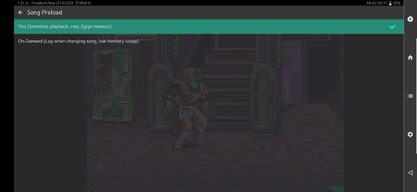
for a while on android/handheld you choose on demand lag when changing songs to avoid hang first start up when using songs.

i tested it 4 hours ago using file converter to little size for that matter the core always crash especially android.. so i dont want a big size for unless this need to fix.

i'm playing without music, sfx and punch sound dll are normally played in the game no glitch or anything.

for a while i dont wanna risk my handheld/android device crashes everytime to load that music..

also big thanks to fbneo espcially dink for fully emulated paprium.
 
Last edited:
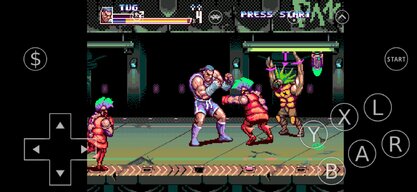
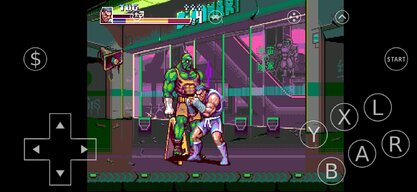
People already reported that they were able to complete this emulated version of game by unlocking all known paths, secrets and options. They even shared a save file. The only thing which is missing are bonus 32X logos as the core does not emulate 32X addon and modulated music features.
BTW a 3 player mode works as well. It can be played by 3 players or by 2 players and CPU which controls the third character (when Sega CD bios is used in emulator).

View attachment 90837
That looks awesome! I can't wait to try this out!

YES you can play paprium officially through fbneo update your fbneo now... my android device play this very smoothly there are no lag or crash anymore big very thank you to dink and team fbneo to port this as soon as possible.

to play this game choose subsystem in retroarch menu after you load core and then choose sega mega drive choose paprium.zip (not paprium.bin) this is not sega console emulator which is very different.. the format here contained zip you must compress it before play this game


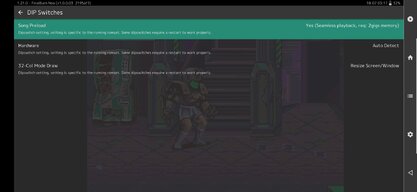
i'm playing this game without sound now someone will uploaded a sample for this game which is the songs have been converted to wav and means less lag no more slowdown also you can change "song preload" to more accurately to this emulator.


this officially through retroarch choose online updater and choose final burn neo (current) not alpha 2012.
I really hope whomever is working on these cores for RetroArch (and where they can be checked on for updates) can make a version for these retro emulation handhelds since I would to have these on KNULLI and muOS.

Fear not boys the sound can be fixed by going into retroarch core options and changing the sound driver.
Which sound driver to switch to?
 
YES you can play paprium officially through fbneo update your fbneo now... my android device play this very smoothly there are no lag or crash anymore big very thank you to dink and team fbneo to port this as soon as possible.

to play this game choose subsystem in retroarch menu after you load core and then choose sega mega drive choose paprium.zip (not paprium.bin) this is not sega console emulator which is very different.. the format here contained zip you must compress it before play this game


i'm playing this game without sound now someone will uploaded a sample for this game which is the songs have been converted to wav and means less lag no more slowdown also you can change "song preload" to more accurately to this emulator.


this officially through retroarch choose online updater and choose final burn neo (current) not alpha 2012.
 

Attachments

  • Screenshot_2025-07-18-03-06-37-099_com.retroarch.jpg
    Screenshot_2025-07-18-03-06-37-099_com.retroarch.jpg
    244.9 KB · Views: 41
  • Screenshot_2025-07-18-03-11-08-628_com.retroarch.jpg
    Screenshot_2025-07-18-03-11-08-628_com.retroarch.jpg
    229.9 KB · Views: 34
  • Screenshot_2025-07-18-03-12-55-116_com.retroarch.jpg
    Screenshot_2025-07-18-03-12-55-116_com.retroarch.jpg
    281.8 KB · Views: 30
  • Screenshot_2025-07-18-03-17-24-635_com.retroarch.jpg
    Screenshot_2025-07-18-03-17-24-635_com.retroarch.jpg
    110.9 KB · Views: 40
  • Screenshot_2025-07-18-03-17-28-038_com.retroarch.jpg
    Screenshot_2025-07-18-03-17-28-038_com.retroarch.jpg
    89.2 KB · Views: 36
This is incredibly awesome, i look forward to some way to play it on the wii, true 240p.

I really liked the game, too bad fonzie is such a snob.

Thanks to everyone who put in the work to make this possible, i mean it.
 
I used the updated core on my Anbernic (running muOS) and the game crashes after clearing the third stage, I don't know it's the core or the game still having shitty copy protection for a game that Fonzie will never release.

People already reported that they were able to complete this emulated version of game by unlocking all known paths, secrets and options. They even shared a save file. The only thing which is missing are bonus 32X logos as the core does not emulate 32X addon and modulated music features.
BTW a 3 player mode works as well. It can be played by 3 players or by 2 players and CPU which controls the third character (when Sega CD bios is used in emulator).

Clipboard02.jpg
 
I used the updated core on my Anbernic (running muOS) and the game crashes after clearing the third stage, I don't know it's the core or the game still having shitty copy protection for a game that Fonzie will never release.
 
Fear not boys the sound can be fixed by going into retroarch core options and changing the sound driver.
 
I've got it working on Android but the sound is all messed up. I've noticed this on videos of it on YouTube. Is it possible to get it working properly on Android?
 
I've gotten these files in the past before youtube anonounced the rom dump. I've tried to create a cue sheet for this bin file and tried using it with a sega cd emulator. And all I can get working is the 8-bit version. Or I get a black screen with a temporary sega logo that's blocked out that breifly shows up. I've read somewhere in the past that this game can't actually run on a sega genesis. And it was going to be ported to modern consoles. But with seeing pictures of genesis cartridges online, I'm not sure what to believe at the moment. I also copied the core files in RA.
 
Its a long shot but I figured I would ask if anyone can compile a core for Hakchi. Right now I'm stuck on the retro stage using the Genesis Plus GX core, just keeps booting into it even after i die and reboot. The custom core has to have a .hmod extension so it can be custom installed using Hakchi program. Anyone?
Post automatically merged:

Its a long shot but I figured I would ask if anyone can compile a core for Hakchi. Right now I'm stuck on the retro stage using the Genesis Plus GX core, just keeps booting into it even after i die and reboot. The custom core has to have a .hmod extension so it can be custom installed using Hakchi program. Anyone?
It looks like its being worked on now
 
I am able to get the game working on my Retroid Pocket 4 Pro with the new Android cores provided a couple of days ago. Thanks for the update!
 

Users who are viewing this thread

Connect with us

Support this Site

RGT relies on you to stay afloat. Help covering the site costs and get some pretty Level 7 perks too.

Featured Video

Latest Threads

More layoffs at Ubisoft

Your current list of movies to watch

1000378479.png

QueThis is my list, all based on your recommendations. Thank you for the...
Read more

What are films you find relentless and emotionally draining?

Recently watched Whos afraid of Virginia woolf and Opening Night. Wanting more films that are...
Read more

What are some of your favorite music from games you love?

What are some of your favorate game ost tracks that you chill to?

Here are some of my favorates...
Read more

Online statistics

Members online
159
Guests online
1,558
Total visitors
1,717

Forum statistics

Threads
16,180
Messages
391,189
Members
899,464
Latest member
Nekromago

Today's birthdays

Advertisers

Back
Top