
- Joined
- Oct 20, 2024
- Messages
- 6,848
- Solutions
- 32
- Reaction score
- 34,309
- Points
- 12,177
- Location
- Vossen Estate 🇦🇷❗
Getting Started
Hello and welcome to RetroGameTalk's "Ultimate FAQ"!This is a community-driven effort meant to make those of you just joining us have the best possible time navigating RGT and its many features, before diving deeper into the site itself.
So, without further ado, let's get you all up to speed!
So, I just joined the site. Now what?
Excellent question! We usually recommend anyone new to RGT starts by heading over to the "Introductions" section.Create a new thread there and tell us a bit about yourself. Get acquainted with the community, and start your retro-fueled journey!
Look for this button to create a new thread -->

Once that's done, you are probably going to want to delve deeper into the many active conversations already happening around you (or any old ones that interest you -- Unlike many other sites, we don't punish the so-called "grave-digging"/"necro-ing" of old threads). Just visit the main "Forums" page and click on any topic you want to read more about, or voice your own opinions on. Let us hear what you have to say! Chances are, you'll be walking out of that thread with dozens of likes to your name, and maybe even some new friends and followers to boot. What's not to love?
Why can't I post everywhere?
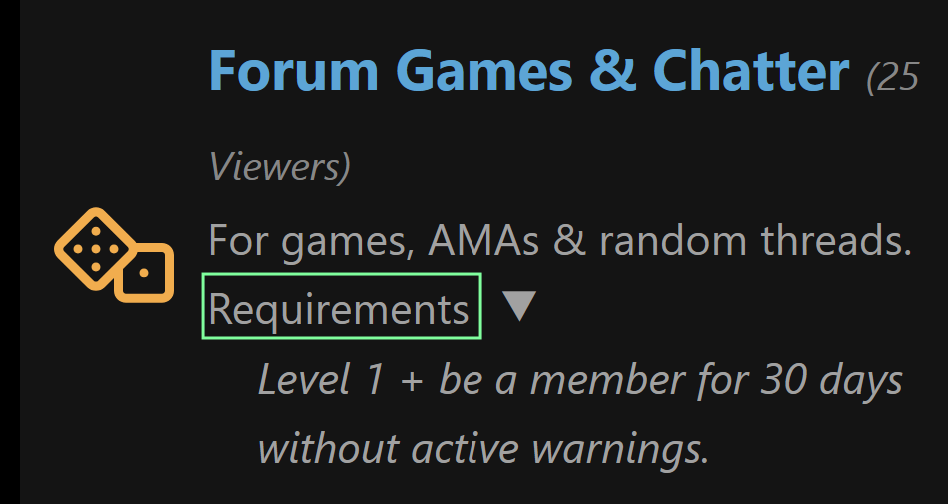
You have probably noticed that we take a very "videogame-y" approach to things. This means that users level up as they continue to participate in the forums more and more, earning new perks as they go. It also means that some sections of the forums are locked off until a small criteria is met -- Don't worry, most members clear that threshold without even realizing it!You can check the requirements for each Forum area by clicking on the word "Requirements".
How do I level up?
Start posting! The more you post and get involved in the community, the faster you level up!Why isn't my post count going up?
Profile posts and posts made in the "Forum Games & Chatter" sections will not contribute towards your post count. Try posting in other sections to raise your level!What else do "level ups" do?
Again with the great questions! I like you already!The level up system has quite a few surprises in store for those of you who want to explore it to the fullest, but the short version is that it allows you to access more of the Forums and add extra customization for your profile and posts. Basically, it allows you to access the full board and to look cool as hell while doing so. For more details, check the "Levels Explained" section.
Are there any "level skip" codes?
As a matter of fact, there are!If you want to access full profile customization and assorted perks right from the get-go, you can become a Supporter of RGT through a small Ko-Fi donation, and unlock everything instantly! You can also get a neat badge for your profile and the nice warm feelings that come with the knowledge that you are helping us keep the lights on (thank you!).

How do I send and receive messages?
To check your private/direct messages, click on the mail icon next to your Username at the top of the page.
At level 0, you cannot send private messages, but you can still reply to any that you receive.
Once you've reached level 1 though, you can start sending Direct Messages to your heart's content! Simply click on the mail icon again and then click "Send direct message". You can also send a message from within your inbox by pressing this conveniently labelled button:

Can I make my profile private?
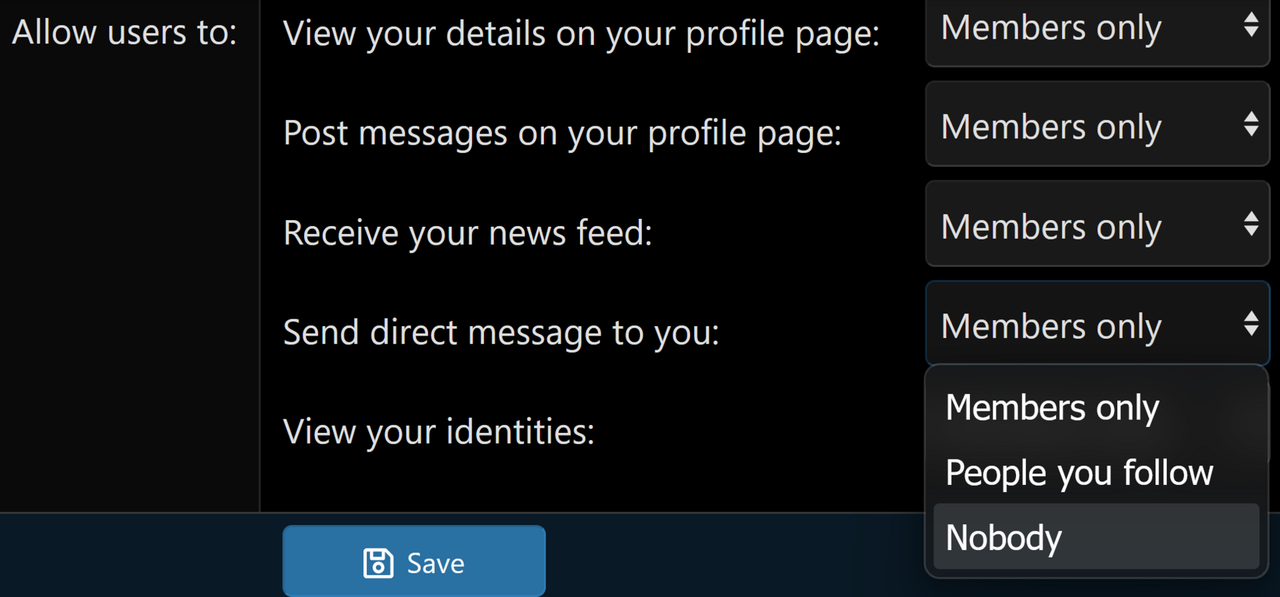
You absolutely can! Visit your Account Privacy settings and toggle the following two options to "People you follow" or "Nobody", as you see fit:
Can I limit who can contact me?
Yes, you can. And we are glad you ask, because this is a rather new feature that was brought to life precisely because many people felt the same way -- see? You are one of us now.Again, check your Account Privacy settings, and change "Allow users to send direct messages to you" to either "People you follow" or "Nobody".
Can I post anything on my profile?
As long as it adheres to the rules... yes!Please know that there is a waiting period between profile posts to prevent eager beavers from flooding the home page with too many posts. We try and keep things pretty relaxed here.
What if someone else breaks the rules?
If you see or read something that you think breaks the rules, please report it immediately. Simply click where it says "Report" in the bottom-left corner of the post, and provide a brief explanation as to why you are reporting it. Your report will be reviewed by the mod team, who will take further action where it is deemed appropriate.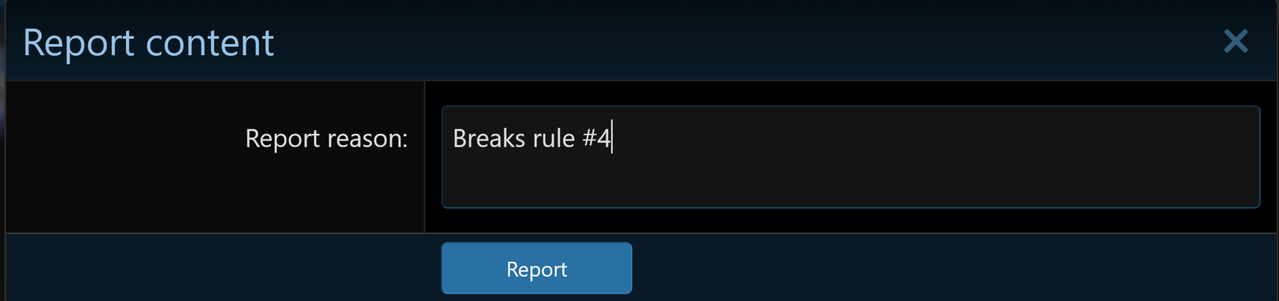
Please do not quote or respond to the offending post as it makes cleaning up more difficult and may inadvertently escalate the problem.
Can I hide someone else's posts?
Yes, you can. If someone keeps posting stuff you'd rather not see, click on their Username and then press the "Ignore" button.
Ignoring someone hides all of their posts from you by default. You can still choose to view their posts by pressing "Show ignored content", so ignoring someone still requires some self-discipline!

Anyone you choose to ignore will not be notified of your decision to ignore them, and vice versa. You can view a list of who you are choosing to ignore by clicking on your avatar at the top of the page and selecting "Ignoring", but you cannot see who is ignoring you.
Please note that ignoring someone does not prevent them from being able to post on your wall or contact you via Direct Message. To prevent this, please review your "Account Privacy" settings, as detailed above.
Can I attach files to my posts?
You sure can! They just need to be under 2MB in size and use one of the following extensions:
Code:
zip rar 7z txt pdf png jpg jpeg jpe gif log webp json