Windows A.D Cop + Overseas Mission PC

AlmaElma123

Tech Succubus
Repo Curator
Level 3
85%
Joined
Dec 1, 2024
Messages
462
Level up in
38 posts
Reaction score
1,135
Points
2,977
Location
Canada
A.DCopCoverALM.jpg


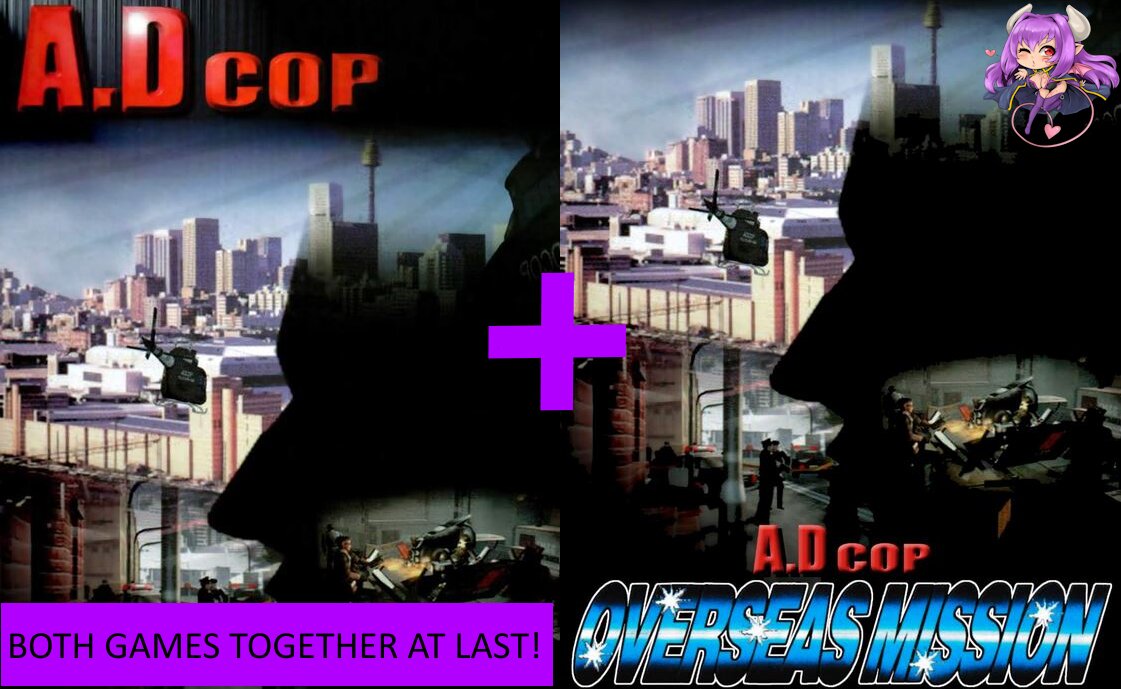
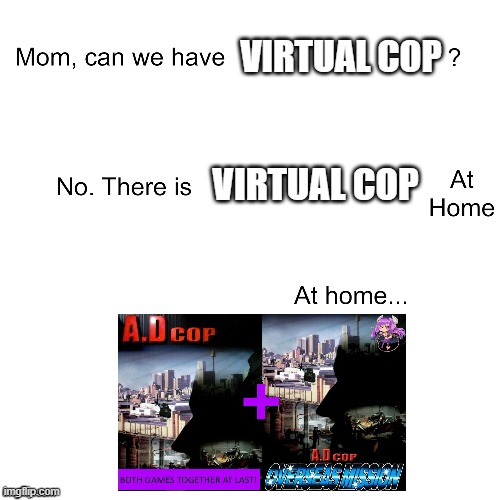
This is both A.D Cop and A.D Cop: Overseas Mission together so you can get the full A.D Cop experience! Just follow the Readme if you have issues and you should be fine!

Download Links​

Post automatically merged:

This is my first true upload to the site!::coolstafy

I hope you all enjoy the "We have Virtual Cop at home" of PC gaming!

Don't be afraid to voice your issues here if you run into any! I tried my best to make this perfect. ::biggrin
 
Last edited:
I wonder if you can use an actual light gun like the Sinden on this? That could be fun. I will have to try.
Unfortunately, it doesn't seem to work because the mouse coordinates are relative. However, at least for the main game, there's a DOS version and that one works fine with my Sinden (just a pity you cannot remove the crosshairs).
 
It almost seems like I'm looking at an alternate reality where someone used the Build Engine to make Virtua Cop, or something, haha.
It really is "Virtua Cop at home" lol

But I still enjoyed it!
I wonder if you can use an actual light gun like the Sinden on this? That could be fun. I will have to try.
Should be able too with a little tweaking
I had a good laugh with this lmao thanks for this!
2 bro-tips 😛
1 - For a correct screen aspect ratio, in the dosbox-x.conf, change aspect_ratio = 0:0 to aspect_ratio = 16:10
2 - After configuring A.D Cop controls, copy ADCOP.CFG from ADCOP to OVERSEAS to enable mouse cursor in Overseas. This might be pointless with the provided installation, I don't know, I've installed the games from ISOs 😉

Also, Dosbox-x have buid-in Fluidsynth support. CoolsoftVirtualMIDISYNTH is useless. In the Dosbox-x.conf file, [midi] section, change mididevice to mididevice = fluidsynth and fluid.soundfont to fluid.soundfont = <path-to-soundfont>\YourSoundfont.SF2
I didn't know a lot of this! Thanks for the heads up ::biggrin Not making it stretch was intentional too to keep its original size on screen.
 
2 bro-tips 😛
1 - For a correct screen aspect ratio, in the dosbox-x.conf, change aspect_ratio = 0:0 to aspect_ratio = 16:10
2 - After configuring A.D Cop controls, copy ADCOP.CFG from ADCOP to OVERSEAS to enable mouse cursor in Overseas. This might be pointless with the provided installation, I don't know, I've installed the games from ISOs 😉

Also, Dosbox-x have buid-in Fluidsynth support. CoolsoftVirtualMIDISYNTH is useless. In the Dosbox-x.conf file, [midi] section, change mididevice to mididevice = fluidsynth and fluid.soundfont to fluid.soundfont = <path-to-soundfont>\YourSoundfont.SF2
 
Last edited:

Users who are viewing this thread

Connect with us

Support this Site

RGT relies on you to stay afloat. Help covering the site costs and get some pretty Level 7 perks too.

Featured Video

Latest Threads

SEGA decides to get busy...

So, everyone's already been talking about the Crazy Taxi...
Read more

Games similar to Valkyrie Profile 2: Silmeria?

I'm having a blast with this game. I'm not even halfway through it yet, but I know for a fact...
Read more

Cartoon Trope you are surprised it is canon to reality?

Cartoons, part of their fun is seeing impossible stuff happen onscreen, but sometimes, something...
Read more

Your brawler/beat'em up/hack n slash mains

Needed to make a counterpart to the fighter mains. Don't matter if it's a 2D, 2.5D, or 3D...
Read more

Goblins

Twice is a coincidence, three's a pattern, and I've noticed an uptick in goblin employment over...
Read more

Online statistics

Members online
79
Guests online
1,313
Total visitors
1,392

Forum statistics

Threads
19,776
Messages
501,083
Members
926,794
Latest member
virus_305

Today's birthdays

Advertisers

Back
Top