
- Joined
- Dec 1, 2024
- Messages
- 1,012
- Level up in
- 1488 posts
- Reaction score
- 1,738
- Points
- 4,477
- Location
- North Carolina, USA
Download Links
Game Description:
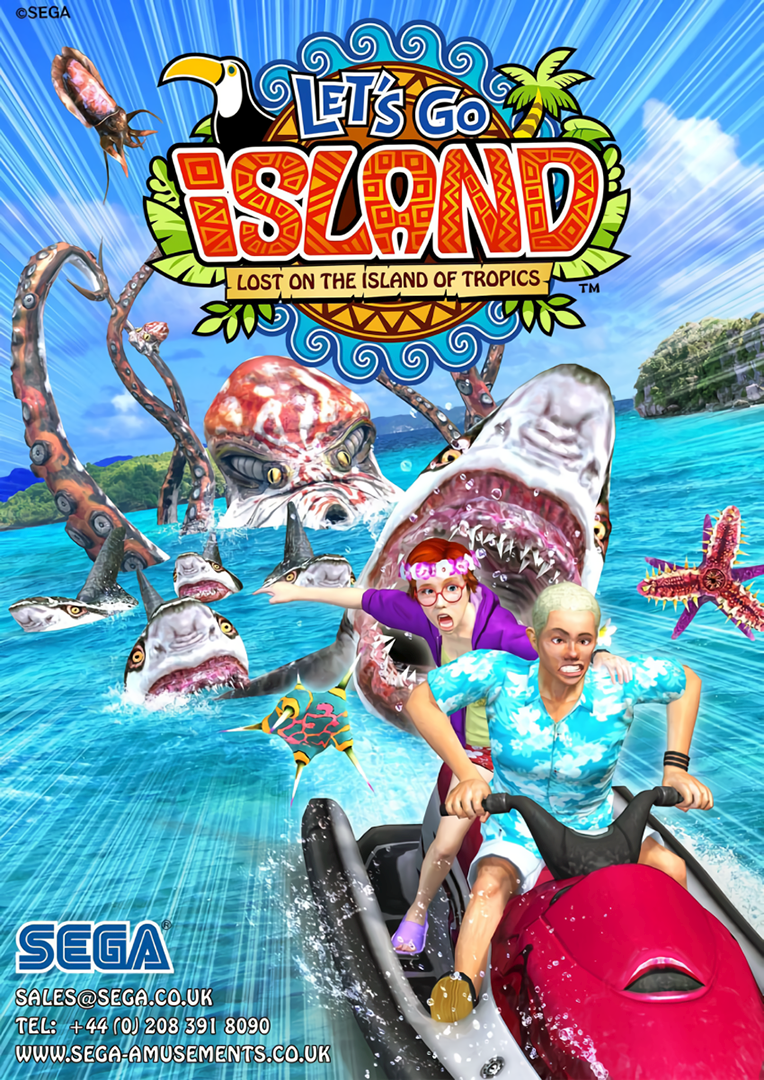
Let's Go Island 3D: Lost on the Island of Tropics is a Rail Shooter video game published by SEGA and developed by Sega AM3 released on 2011 for the Arcade.Let's Go Island 3D: Lost on The Island of Tropics is an on-rails shooter for one or two players. It's the indirect sequel to Let's Go Jungle: Lost on the Island of Spice.
Players take the role of a young couple Beth and Zack, who are tourists taking a relaxing vacation around some Pacific Islands, when they find themselves attacked in hostile waters. Players must shoot their way through hordes of enemies, including man-eating sharks, leeches, killer crabs and other sea beasts. Hidden treasures can also be shot and collected.
The stages are called tourist attractions. After the first stage, there are multiple paths the player can choose to progress. Each stage ends with an end boss, taking the form of an oversized mutant creature. Each boss has several weak points displayed as targets which the players must shoot.
Occasionally the shooting action is broken up with quick time events where players must work together to perform synchronized actions, which must be done to avoid obstacles, otherwise health is sacrificed. During the quick time events the players must duck to avoid obstacles, repeatedly tap the button to start an engine, or jump by pressing the buttons at the same time. At the end of each stage the players' compatibility is shown as a percentage in a heart shape.
How to Run:
- The requirements for TeknoParrot are DirectX End-User Runtimes (June 2010) and Microsoft Visual C++ 2015-2022 Redistributable
- Download TPBootstrapper from here
- Download the zip file containing the dat file from here and extract it to your Downloads folder
- Create a folder called TeknoParrot in your Downloads folder, extract TPBootstrapper and run the exe
- Tell TeknoParrot Web Installer to use the folder you just created
- Select and download TeknoParrot UI & TeknoParrot
- Extract the folder from the 7z containing the game files and move it into the TeknoParrot folder
- Launch TeknoParrotUi.exe and accept its privacy policy and when asked if you'd like to set up a game say No (it pops up twice for some reason)
- Click Next, click Browse and pick the .dat file from earlier and click Next
- Skip Game Scanning and then skip Controls Setup (we'll get to that in a bit)
- Keep clicking Next and then Finish. When asked if you want to add a game say No again
- Click the 3 lines menu at the top left and click Add Game
- In the list pick Let's Go Island 3D: Lost on the Island of Tropics (the regular edition has been known to have issues and not work properly) and click Add Game and Return
- Click Game Settings and click the line under Game Executable to be able to pick it and from the folder for the game pick the file LGI.exe Make sure Rawinput is the input API so you can use a mouse.
- Go back and click Controller Setup and set up the controls to how you like. Preferably choosing the mouse for the light gun. If you have multiple mouse/pointer devices you can have one be Player two as well.
- Click Play and wait a little bit for the game to start after initializing
- TeknoParrot will ask for you to update but it's not out of date and it just wants you to install the other modules that aren't needed for this game, so just ignore it.





 The worst part is that I had read it, but I guess I didn't pay enough attention.