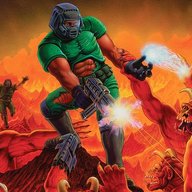
Filters and shaders!

Pedants will say 'the programmers didn't have scanlines in mind!' but that's WRONG

The programmers of 2D and early 3D games were working on PCs or SGI workstations which did, indeed, have CRT monitors with scanlines and very high refresh rates. Maybe you can argue that things like RF and color bleed weren't part of their intention, but not the scanlines.
 
Raw pixels for me. I think it may be because the only 2D games I grew up with were on handhelds like the GBA SP and the DS, so I never saw 2D sprites on a CRT. Recently, though, I’ve been experimenting with CRT shaders for emulation. They’re visually amazing, but I haven’t found one that’s perfect for my tastes (especially for 3D games with upscaled resolution). Perhaps I’ll give it another try when I replace my old HD TV with a 4K one.

In the end, everyone can enjoy gaming however they like, but I’m a bit skeptical about the “look intended by the devs” argument. Sure, CRTs were the only displays available for those consoles at the time, but given the huge variety of TV models, signals, and regional standards, it’s nearly impossible to recreate a single “intended effect” for all of them (For ex, with the SOTN eyes effect, many CRT shader presets I tested didn’t reproduce it accurately, though perhaps that's only on a real CRT). And not even mentioning PC or handheld ports of the same games, which ran on completely different displays.

As another user said, for me playing a game with raw pixels is like watching a remastered version of an old movie: the details are sharper, but you also risk seeing details that were once hidden (like traveling rails or camera reflections). Still, I don’t think that makes it an illegitimate way to enjoy retro gaming, just a different approach.

Maybe I’m all wrong about this, I’m far from a CRT expert. But I’d love to read/listen to developer interviews on the topic.
 
I don't think that the restored film/pixel perfect retro game argument is sound. Those pixels are all that's there, and they're extremely low-resolution. There's like, 8K of resolution in a film print. It can only be a good thing to draw that out, even if it shows the seams.

On the other hand, old 2D games were programmed by devs using CRT monitors, and played by gamers using CRT monitors. I do think the option to view them in pixel perfect resolution with no filters is important to have, but the most accurate experience is with a CRT filter.
 
I like that I usually use the HD2 resolution. This makes the picture look even better but you need a good device for it otherwise it won't run smoothly.
 
I couldn't never understand use of pixel perfect filter, as this is not true to the original look. Old games, especially 2d ones are ment to be played with CRT look, hence this would be my first choice of filter. As it's comes to 3d games, I would be more ok with bit of experiments, depending on the particular game or platform.
Also new pixelated games being called retro style seems not to be very accurate. In old games pixels were barely visible on CRT. 🤷🏻
 
On the other hand, I use color shaders for handhelds to lessening the saturation on my monitor.

Sameboy: Modern/Accurate in core settings
mGBA: GBASP101 Color Shader
MelonDS: NDSLite Color Shader

(Nothing for Wonderswan because, visibly, nobody gives a f°°° about Wonderswan🤷‍♂️. If you guys know if a color shader exist for it, let me know !)

I keep PPSSPP on default because the PSP Color shader messed with the latter games of the system (although the difference is much more subtle than the others).

I know it's not entirely accurate but I think it's a good balance between the oversaturated raw palette and the de-saturated tones of the first models (which don't always go well with the later games). But again I grew up with the GBA SP not the original.
 
For duckstation, snes, genesis, and PC Engine is use CRT-Geom but putting my CRT VGA Monitor at 1280x960 full screen on a Gateway EV700. The filter gets as close to 240p resolution "look". Now if im running my Sega Saturn, Dreamcast or N64 i use my CRT TV for that. Preferably in S-Video and for the DC on VGA in a Sony or Viewsonic VGA monitor.
how do i do this? i got a Dell monitor 1600x1200, but windows 11 gives me mostly only random-ass options for resolution and refresh rate depending on how i connect it up.

it's never anything i want really tho... (like a 1280x960 for instance).

I'm guessing there is an extra special hidden menu that allows me to actually specify exactly what i want?
 
i used to like just the plain sprites without filters or shaders
but ever since i started using crt shaders i never went back lol
 

Users who are viewing this thread

Connect with us

Support this Site

RGT relies on you to stay afloat. Help covering the site costs and get some pretty Level 7 perks too.

Featured Video

Latest Threads

Dark Souls 2 thread

1764683403037.webp


I freaking love this game so much.
Read more

I just wanted to update you on what's been happening with me.

1000321829.png

ObrigadoThanks to a forum member, I reached the 400-subscribe mark. If anyone wants...
Read more

If you were hired to remake or bring back a beloved IP, what and how would you do it?

It's been a while since I've asked another question, I mainly use this site for emulation...
Read more

shadps4plus 0.12.0

Online statistics

Members online
78
Guests online
608
Total visitors
686

Forum statistics

Threads
15,100
Messages
365,976
Members
896,403
Latest member
ghostzera

Today's birthdays

Advertisers

Back
Top