- Joined
- Apr 27, 2025
- Messages
- 3
- Level up in
- 22 posts
- Reaction score
- 5
- Points
- 1,052
I think I remedied the issue but I want to understand what happened in the first place. I'm playing a fan translation of Persona 2: IS on DuckStation. Some context, I first started the game in 2023, got a few hours in and stopped playing. I picked up the game again this year and started a new file. When I went to start it up this time, my old save files were not visible in-game which worried me a little bit but I figured it'd been a few years so maybe a firmware update wiped them or I deleted them and forgot, something like that.
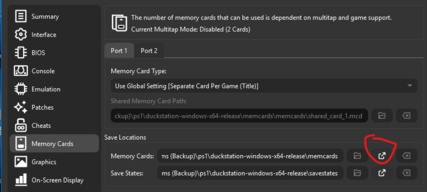
Last night when I was playing, I messed up the visual settings, and being new to playing around with emulators, selected "Restore Default Settings" and despite a warning that it would restore all default settings, I pressed it anyway...just thinking it would fix the graphics filtering (it did!) When I went to save, my old save files from 2023 were there, my 2026 files (which I was playing) were now gone Thankfully, I was able to save over them so this 2023 file now has a record of my 2026 playthrough. After that, I went into the DuckStation memcard folder and found two files; Persona 2 - Innocent Sin (T-EN)_1.mcd (this one is my 2026 save) and Persona 2 - Tsumi - Innocent Sin (Japan)_1.mcd (my 2023 save). After setting the BIOS back up, I loaded Persona 2 back up and it was pulling from the 2023 save. What happened here? And why did it happen? Should I worry about booting the game up and not seeing my data again? I learned my lesson - no tweaking the knobs during gameplay!!
One key detail; the .bin/.cue file I'm working for is Persona 2 - Innocent Sin (T-EN)
Last night when I was playing, I messed up the visual settings, and being new to playing around with emulators, selected "Restore Default Settings" and despite a warning that it would restore all default settings, I pressed it anyway...just thinking it would fix the graphics filtering (it did!) When I went to save, my old save files from 2023 were there, my 2026 files (which I was playing) were now gone Thankfully, I was able to save over them so this 2023 file now has a record of my 2026 playthrough. After that, I went into the DuckStation memcard folder and found two files; Persona 2 - Innocent Sin (T-EN)_1.mcd (this one is my 2026 save) and Persona 2 - Tsumi - Innocent Sin (Japan)_1.mcd (my 2023 save). After setting the BIOS back up, I loaded Persona 2 back up and it was pulling from the 2023 save. What happened here? And why did it happen? Should I worry about booting the game up and not seeing my data again? I learned my lesson - no tweaking the knobs during gameplay!!
One key detail; the .bin/.cue file I'm working for is Persona 2 - Innocent Sin (T-EN)
Last edited: