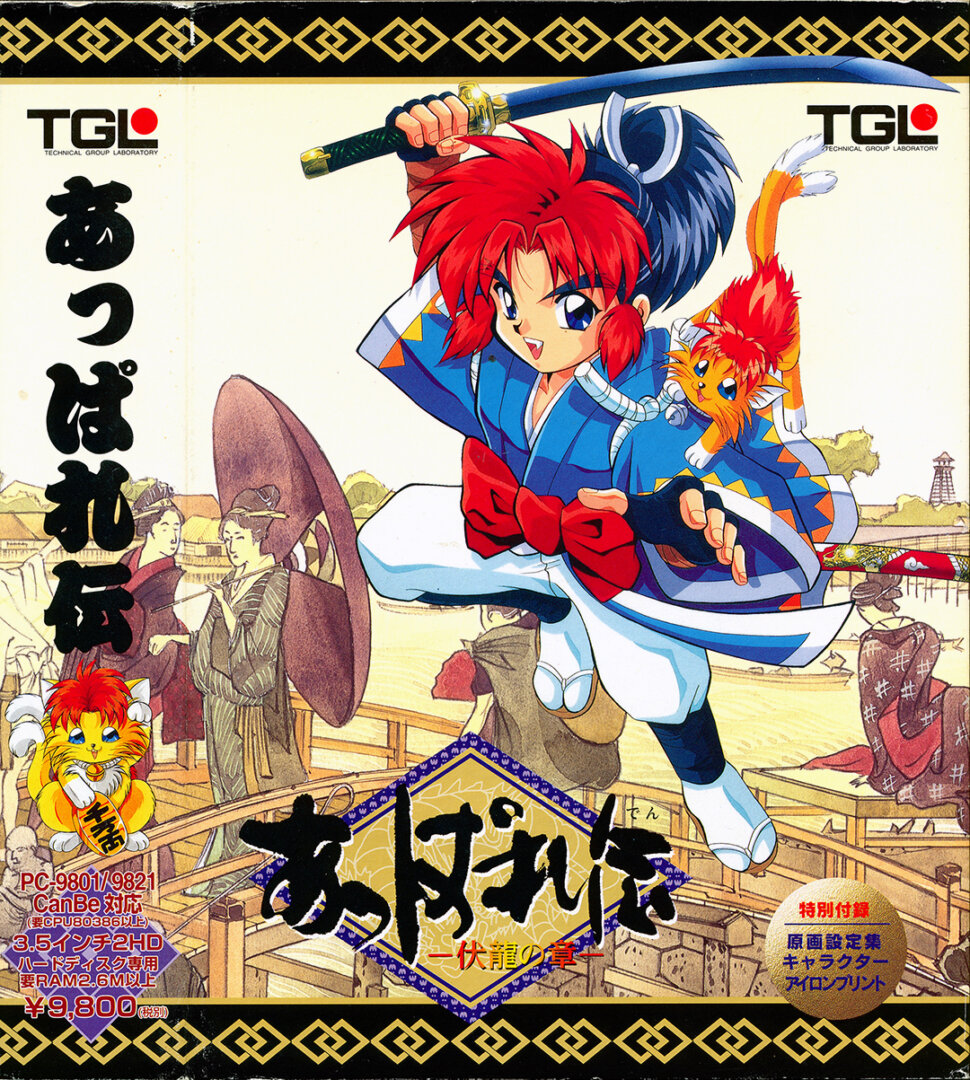
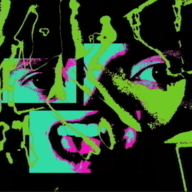
This is the CD version with cdda music and voice acted cutscenes. I was unable to patch the floppy version of the game. (This version is vastly superior anyways and the floppy version is a pain with several disk files) Translation Credits: Released by: 46 Okumen Language: English Status: Fully Translated (except game release trailer, manual, and a possible future fan English dub) Patch Version: v0.9.9.2 Date: 28 Nov 2025 Source and details: https://46okumen.com/projects/appareden-fukuryuu-no-shou/ I highly recommend the emulator Neko Project 21/W for playing on Windows. It's the most feature complete emulator for the NEC PC-9801 and is in active […]
Well, I finally managed to get to the surface again and, at last, I can explore the overworld freely with the airship (my favorite part in every rpg). Problem is... Is anywhere on the internet a world map for this game? The ship moves as slow as the character walking on foot, and it's a slog to explore it this way (specially when, once again, the game gives you no clear indications of where you should go next).
I've already tried to search for a world map myself (searched both in English and in Japanese) but found nothing.
I've reached the underground after falling through a hole in the ground created by Okitsugu after fighing against his generals. But I have the problem that every battle I run into after this point in the game, makes the game freeze (the screen fades to black and the battle never starts). Has anybody managed to reach this point in the game, and has had the same problem? I'm playing the game in Android's Retroarch by using the Neko Project II Kai.
I apprecate any kind of help. It has costed me blood, sweat and tears to be able to reach this far into the game (it's one of the most brutally hard rpgs I've ever played. I've been on the verge of dropping it several times) only to become stuck near the ending now.
Post automatically merged:
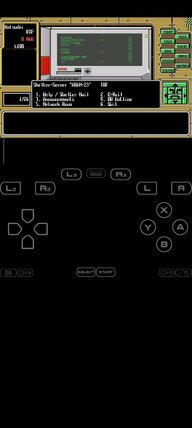
Regarding the error I'm having that is preventing me from finishing the game, I add a screenshot of an error stack trace that from time to time appears when the game crashes after engaging in a battle. Usually, the screen just becomes black but, a few times, the error in the screenshot just pops up:
I have news about the error I had recently, which froze the game every time a random battle started.
it's still too early to say the problem is fixed, but after configuring the game to use CD music instead of the other sound options ("new 86 sound" was the one I was using), it seems the freeze problem during battles doesn't happen anymore.
And yet another update after a few more tests I've made: now, using the new 86 sound again, doesn't make battles crash anymore. Must have been some kind of memory corruption or glitch that happened fortuitously at some point.
I've reached the underground after falling through a hole in the ground created by Okitsugu after fighing against his generals. But I have the problem that every battle I run into after this point in the game, makes the game freeze (the screen fades to black and the battle never starts). Has anybody managed to reach this point in the game, and has had the same problem? I'm playing the game in Android's Retroarch by using the Neko Project II Kai.
I apprecate any kind of help. It has costed me blood, sweat and tears to be able to reach this far into the game (it's one of the most brutally hard rpgs I've ever played. I've been on the verge of dropping it several times) only to become stuck near the ending now.
Post automatically merged:
Regarding the error I'm having that is preventing me from finishing the game, I add a screenshot of an error stack trace that from time to time appears when the game crashes after engaging in a battle. Usually, the screen just becomes black but, a few times, the error in the screenshot just pops up:
I ride or die by Neko Project 21/W Yeah it's Windows only (although it might run fine in Linux using Wine or something equivalent to it) but nothing else comes close to it. If you go to the translation patch page or read the included readme file they both mention and recommend that emulator
Anyone playing this been able to figure out what Gento's second Ougi does? Benimarus' Zen spells have in game descriptions, but the Ougi don't.
Actually is there any guide for this game at all, even if in japanese?
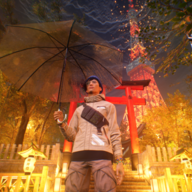
This looks like a beautiful game, holy shit. Idk about the gameplay (haven't tried it) but the art style is TIMELESS. They could re-release it as is and people would see it in the same vein as Hollow Knight.
For Windows, I also got CD audio working like this (at least for music, haven't run into a cutscene yet):
1) Make a txt file in the same folder as the other files
2) In one line, type in
np2kai "Appareden - The Sacrosanct Dragon (CD Version) [T-En by 46 Okumen v0.9.9.2].hdi" "Appareden - Fukuryuu no Shou.ccd"
I managed to run that smt game on my Android with retro arch And it works correctly (I don't know about this game)
I used Neko project 2 Kai though it was kind of tricky to run withe both FDI and HDI
You need to load the HDI in the emulator with Use last HDD option on then restart but this time use the FDI
Seems I need to do some more testing with it then. I was busy trying to find ways to manage the devices instead of looking for tricks like that. I use RetroArch on my other devices like my Vita, 3DS, and Apple TV. It would be nice to get this working for those
The reason CD audio isn't working is because the source image needed for the patch has a misconfigured config.sys.
This needs to be changed:
DEVICEHIGH=A:\TOOLS\NECCDD.SYS /D:CD_101
to
DEVICEHIGH=A:\TOOLS\NECCDM.SYS /D:CD_101
Apply the attached xdelta patch to the hdi file.
No need, the config.sys file in this is already the same as your fix. You didn't need to comment this. The reason theirs is not working is because of a different reason. When I uploaded this the other day I used the program ND to edit the config.sys file in the .hdi and tested it in NP21W to make sure it worked with the CD. Your .xdelta will alter nothing since the file already has those changes
The reason CD audio isn't working is because the source image needed for the patch has a misconfigured config.sys.
This needs to be changed:
DEVICEHIGH=A:\TOOLS\NECCDD.SYS /D:CD_101
to
DEVICEHIGH=A:\TOOLS\NECCDM.SYS /D:CD_101
Apply the attached xdelta patch to the hdi file.
I managed to run that smt game on my Android with retro arch And it works correctly (I don't know about this game)
I used Neko project 2 Kai though it was kind of tricky to run withe both FDI and HDI
You need to load the HDI in the emulator with Use last HDD option on then restart but this time use the FDI
I did some tinkering yesterday with the pc98 core from the last Retroarch android version (not the one on the playstore, that one's outdated and lacks the pc98 cores) and managed to run the Appareden version downloadable from this site (without midi or cd sound, just the two first sound options work).
I'm going to write a brief tutorial on how I manage to run it, while I still have it fresh in my head.
Post automatically merged:
Well, as I've mentioned before, here's the tutorial with the steps I've done to run Appareden in RA's NP-Kai core. My humble contribution to help people play this game. Hope you find it useful.
------------------------------
How to run Appareden CD version on Retroarch Android:
(Note: the core I've used is Neko Project II Kai. Apparently, Neko Project II /W is more suitable to emulate pc98, but that version is only for Windows, so if you want to run this game on Android, you don't have many other options apart from Retroarch's Kai core. Perhaps the /W version might be run inside of a pc emulator for Android, such as Winlator or Gamehub).
First of all, to obtain the Neko Project II Kai, I had to download Retroarch's apk from their official site, since the playstore version is outdated and doesn't include any pc98 core.
Once Retroarch is installed and the core is downloaded and installed, create a folder called np2kai inside Retroarch's system folder. There, copy the following files: font.rom, font.bmp, bios.rom, itf.rom, sound.rom. There are more files that can be copied, but I think these ones are the strictly necessary for the core to run.
With the Neko core II Kai now configured, load it using the "load core" option and then load the game with "load content". Navigate to the folder where you unzipped the game and select the file that has the hdi extension, and the system should boot and run ok.
I've only managed to run it with the two first sound options, "original FM sound" and "new 86 sound". "Midi GS" or "CD sound" don't seem to work. Maybe it can be done with a little more tinkering, but the "new 86 sound" option does the trick for me, so that's the one I'm using.
I managed to run that smt game on my Android with retro arch And it works correctly (I don't know about this game)
I used Neko project 2 Kai though it was kind of tricky to run withe both FDI and HDI
You need to load the HDI in the emulator with Use last HDD option on then restart but this time use the FDI
Seems I need to do some more testing with it then. I was busy trying to find ways to manage the devices instead of looking for tricks like that. I use RetroArch on my other devices like my Vita, 3DS, and Apple TV. It would be nice to get this working for those too
Unfortunately no. It's unable to load the disc file properly. If you try to append the audio disc in disc control it doesn't seem to work. The performance is also poor with stuttering and 50 some fps. I don't recommend using the cores in RetroArch for PC-98 other than for a last resort. They just aren't as good as Neko Project 21/W. That one is so advanced that you can even install the Japanese PC-98 versions of Windows 95 to 2000 if you wanted and treat it like a DOSBox virtual machine. PC-98 emulation in RetroArch is rather barebones in comparison
I managed to run that smt game on my Android with retro arch And it works correctly (I don't know about this game)
I used Neko project 2 Kai though it was kind of tricky to run withe both FDI and HDI
You need to load the HDI in the emulator with Use last HDD option on then restart but this time use the FDI
Unfortunately no. It's unable to load the disc file properly. If you try to append the audio disc in disc control it doesn't seem to work. The performance is also poor with stuttering and 50 some fps. I don't recommend using the cores in RetroArch for PC-98 other than for a last resort. They just aren't as good as Neko Project 21/W. That one is so advanced that you can even install the Japanese PC-98 versions of Windows 95 to 2000 if you wanted and treat it like a DOSBox virtual machine. PC-98 emulation in RetroArch is rather barebones in comparison
Go to Device -> Sound options... -> JoyPad and check the box Use JoyPad-1. You can use the checkboxes there to alter what the 4 face buttons of your controller will do. This will make games that have support for gamepads work with it. Although from my experience very few PC-98 games actually use the controller. Most of them use the keyboard and mouse (It was an 80s and 90s PC system after all) The Castlevania clone Rusty makes good use of that option at least. I might post that game later. It's weird it was hidden at the sound options, but maybe that had to do something with how the dipswitch kinda stuff works? I dunno. You can use button remapper apps like Xpadder (my personal favorite) or reWASD to make your controller buttons work the mouse or keyboard keys. You can make anything support gamepads that way. Neither of those are free but someone randomly shared a 2020 build of Xpadder in a mod I found on ModDB once. I can share it with you guys if you'd like?
Why no love for DOSBox-X? IMHO, it's the purest, and best, way to play PC-98 games. Also, DOSBox-X is in active development, as well. (the last update I see was only 4 days ago on its GitHub)
DOSBox-X also has Linux, MacOS, and even DOS builds, too, so that automatically makes it better than NekoProject21.
I'll admit I've never tried DOSBox-X with PC-98 games. I have it installed but I've only ever used it for MS-DOS games. I figured an emulator dedicated to PC-98 would be better than just something that so happens to support it. NP21W is the best of all the emulators dedicated to the system from my experience testing each one. Better than Neko Project II (both the original apps and the libretro core versions) and Anex86. Also just saying something has ports to other operating systems available doesn't automatically make it better. NP21W runs fine in Linux using Wine without any performance hit. I've tested it with an old laptop I had that ran Ubuntu. I'll try DOSBox-X but I dunno if it'll be able to convert me over to it or not
I'd like to ask another thing. From what I'm reading here, it seems that the only emulator capable run this game correctly is Neko Project 21/W. Problem is, I don't have a computer with Windows available currently (only Android devices), so does anybody know if that emulator could be played by using a PC emulator on Android, such as Winlator or Gamehub? I know it might be a convoluted way to play this game, but what I currently have is Android only and I'd really like to give this game a try.
I've had good experiences using exagear. It's possible to find pre generated apk builds of it with the system stuff installed into it for running PC games. There's a YouTube channel where a guy does tutorials and stuff on it. It just requires a very high spec device to run well enough, but if you have a newer tablet or phone with a good amount of ram and a powerful cpu/gpu you might have good luck with it. I can't recall the channel that done the best with it tho
Why no love for DOSBox-X? IMHO, it's the purest, and best, way to play PC-98 games. Also, DOSBox-X is in active development, as well. (the last update I see was only 4 days ago on its GitHub)
DOSBox-X also has Linux, MacOS, and even DOS builds, too, so that automatically makes it better than NekoProject21.
I'd like to ask another thing. From what I'm reading here, it seems that the only emulator capable run this game correctly is Neko Project 21/W. Problem is, I don't have a computer with Windows available currently (only Android devices), so does anybody know if that emulator could be played by using a PC emulator on Android, such as Winlator or Gamehub? I know it might be a convoluted way to play this game, but what I currently have is Android only and I'd really like to give this game a try.
I ride or die by Neko Project 21/W Yeah it's Windows only (although it might run fine in Linux using Wine or something equivalent to it) but nothing else comes close to it. If you go to the translation patch page or read the included readme file they both mention and recommend that emulator
Unfortunately no. It's unable to load the disc file properly. If you try to append the audio disc in disc control it doesn't seem to work. The performance is also poor with stuttering and 50 some fps. I don't recommend using the cores in RetroArch for PC-98 other than for a last resort. They just aren't as good as Neko Project 21/W. That one is so advanced that you can even install the Japanese PC-98 versions of Windows 95 to 2000 if you wanted and treat it like a DOSBox virtual machine. PC-98 emulation in RetroArch is rather barebones in comparison
This site uses cookies to help personalise content, tailor your experience and to keep you logged in if you register.
By continuing to use this site, you are consenting to our use of cookies.