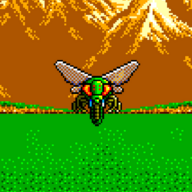
Progenitor - English Translation PC98

dakidski

New Challenger
Level 0
92%
Joined
Feb 8, 2025
Messages
23
Level up in
2 posts
Reaction score
36
Points
27

Progenitor_-_English_Translation-18qghroXQt-uv6l5Sr8nuA.png
 
I really hope a pre-patched image gets uploaded here. I'm having trouble finding the .hdi file for this one anywhere. ::nervous-prinny
 
I found the HDI file here.

[link removed]
Post automatically merged:

I have tried patching it via romhack.ing but I'm not really having any luck. I downloaded Deltapatcher and patched it that way.
Thanks for the tip, patched!
 
Last edited by a moderator:
@dakidski @McWiggles - care to share the patched file? I've tried running it with Retroarch but no luck, it gets stuck on the command line A: don't know why. Any tips?
 
@dakidski @McWiggles - care to share the patched file? I've tried running it with Retroarch but no luck, it gets stuck on the command line A: don't know why. Any tips?
I get the same running both the patched and unpatched ROM, so I don't think it's the patch. It probably just means that you need to manually type in the game's command. Sadly, I tried it on my Anbernic handheld console and the emulator core on retroarch has no virtual keyboard, but if you had a keyboard, you could type:

DIR /p

to show all the files and then run the probably only EXE file there.
 
Taking it down in 24 hours:
(file removed)
Runs fine on Neko Project 21/W.
 
Last edited:
@dakidski thank you for the share! It still doesn't work for me tho, it just boots to the command prompt. Here's a video of what happens.

I'm running Retroarch 64bit with the core: Neko Project II Kai

@thanatos yeah happens the same here, with the patched and non-patched version. And I've tried booting the 2 files ("Progenitor (HD Boot disk).hdm" and "Progenitor.hdi"), nothing works... I show on the video that you have no executable to run either.
 

Attachments

@dakidski thank you for the share! It still doesn't work for me tho, it just boots to the command prompt. Here's a video of what happens.

I'm running Retroarch 64bit with the core: Neko Project II Kai

@thanatos yeah happens the same here, with the patched and non-patched version. And I've tried booting the 2 files ("Progenitor (HD Boot disk).hdm" and "Progenitor.hdi"), nothing works... I show on the video that you have no executable to run either.
Seems almost like the HD isn't even mounted properly? If PC98 is similar to MS DOS, then A should be the first floppy drive, right? BTW, a lot of games I find for the PC98 are like that. Maybe not set up properly? I might look into if I can somehow open the hdi images and remaster them.
Post automatically merged:

Look on archive.org for nec-pc-9801-translations. They have a collection of already patched roms. Probably easier than painstakingly remastering the images. :D
 
Last edited:
I guessed the PC-98 translations archive would be updated with it. Sorry I didn't reply earlier, but I was overseas.
 

Users who are viewing this thread

Connect with us

Support this Site

RGT relies on you to stay afloat. Help covering the site costs and get some pretty Level 7 perks too.

Featured Video

Latest Threads

This has to be the worst example of "Japan has the better box art" I've seen

1768425260582.jpeg

Look at the Japanese box art.
It's looks cute, doesn't it?
Looks something I'd want...
Read more

Best destructive environments in gaming?

Recently, I've been downloading a lot of abandonware titles for my PCSX2 emulator, and one of...
Read more

General Character/Chat bot Ideas

So em well we all know at least those of us who enjoy creating Characters/Chat Bots on how hard...
Read more

Online statistics

Members online
184
Guests online
1,028
Total visitors
1,212

Forum statistics

Threads
16,213
Messages
391,974
Members
899,593
Latest member
QwertyCD

Today's birthdays

Advertisers

Back
Top